Is the Netherlands safe for expats?
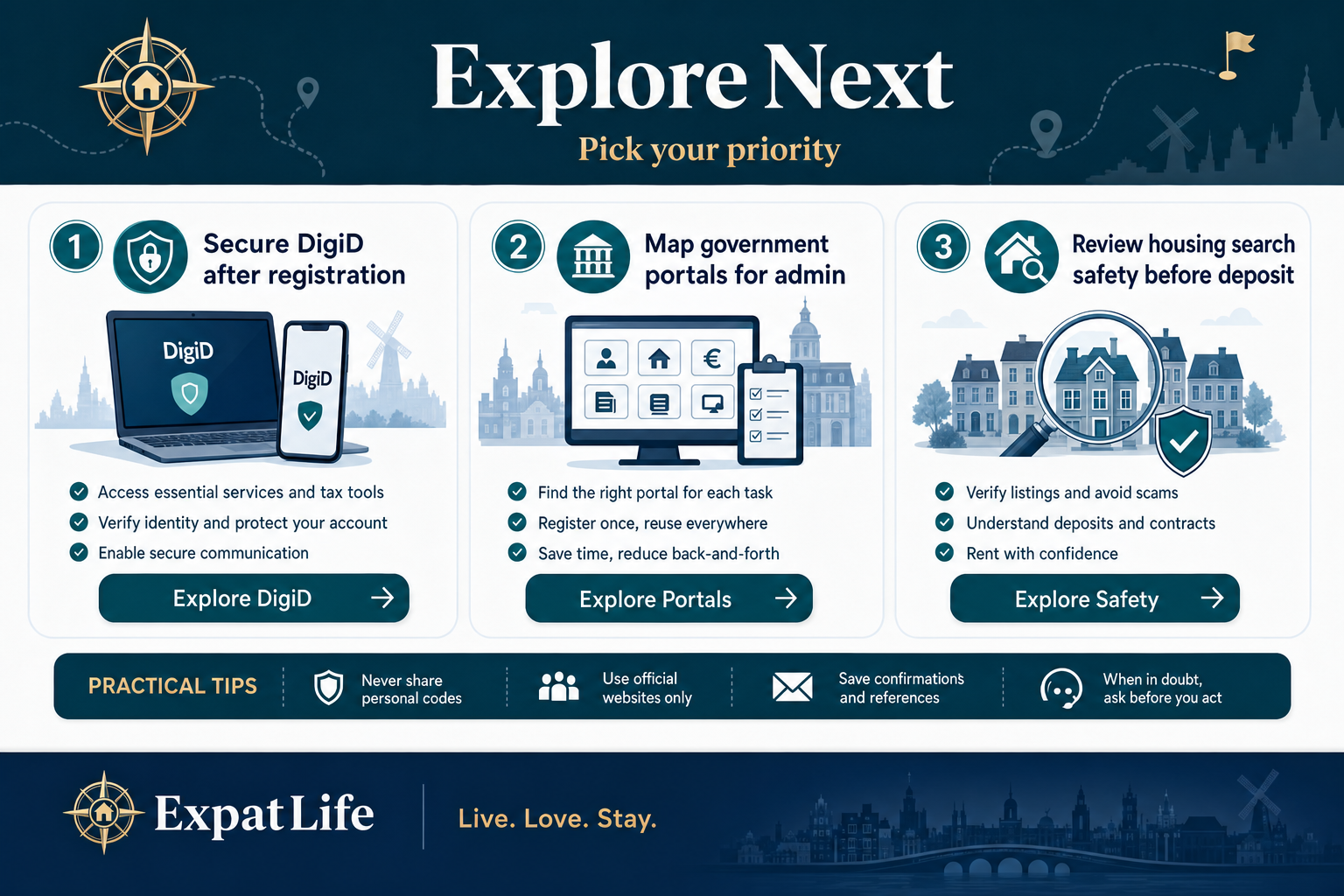
Generally yes. Violent crime rates are low in most areas. Everyday risks include bike theft, pickpocketing in busy centres and online fraud. Standard urban awareness and digital hygiene are usually enough.
Practical life guide
Understand personal safety, digital security, privacy rights and emergency services so you can confidently settle into life in the Netherlands.
General safety and privacy orientation only — not legal, security or emergency advice. In an emergency call 112. Verify details on official websites.
Quick answer
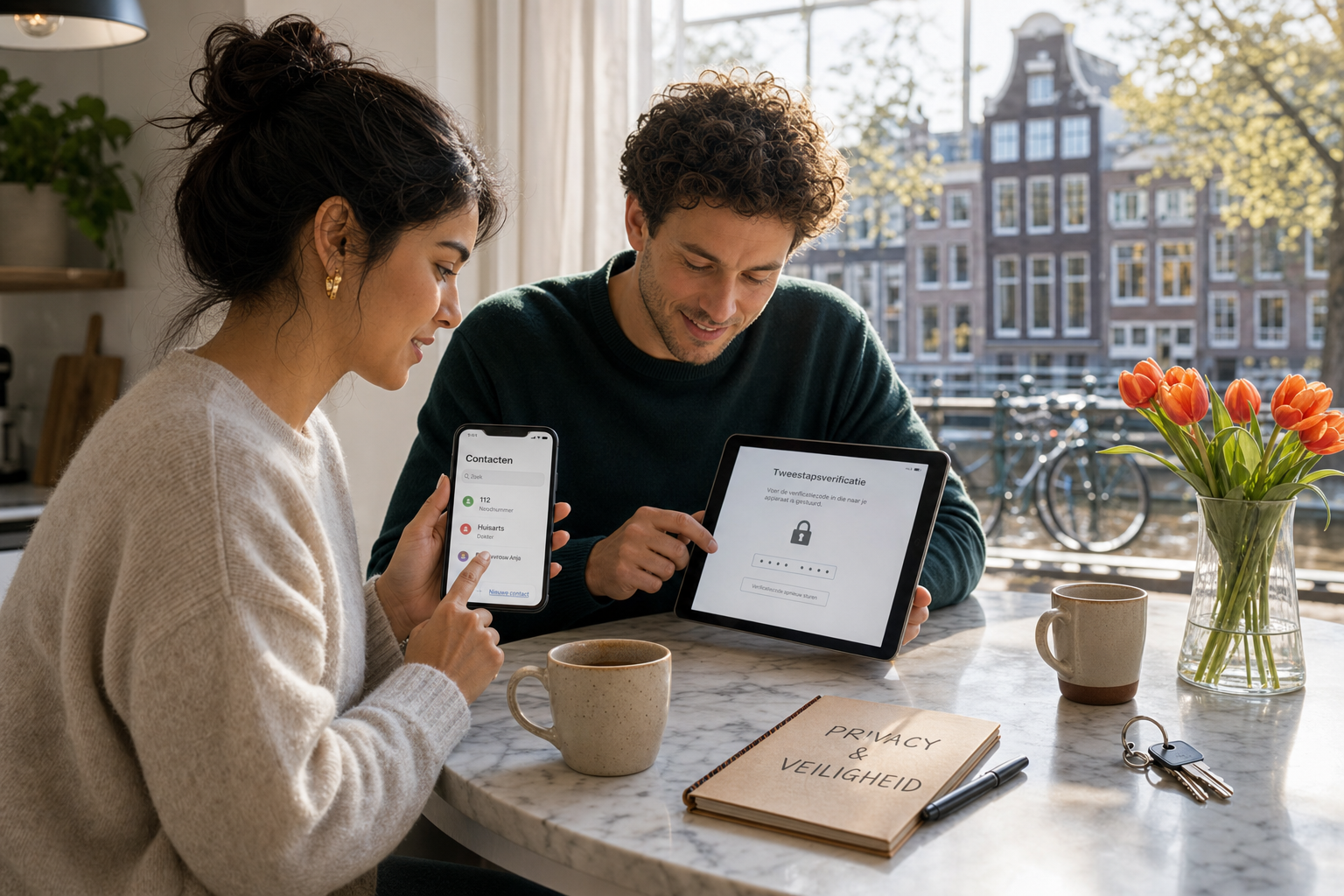
The Netherlands is generally considered a safe, well-organised country with reliable infrastructure, effective emergency services and strong privacy and consumer protection frameworks. Most expats settle without serious safety incidents when they follow everyday urban habits and basic digital hygiene.
Like any country, risks exist — bike theft, phishing, rental scams and payment fraud are more common than violent crime. Understanding local systems, official channels and scam patterns helps you stay confident rather than anxious.
This guide offers practical orientation on privacy culture, personal safety, emergencies, digital security and consumer resources. It is not legal advice, security consulting or emergency instruction — in immediate danger always call 112.
Generally yes. Violent crime rates are low in most areas. Everyday risks include bike theft, pickpocketing in busy centres and online fraud. Standard urban awareness and digital hygiene are usually enough.
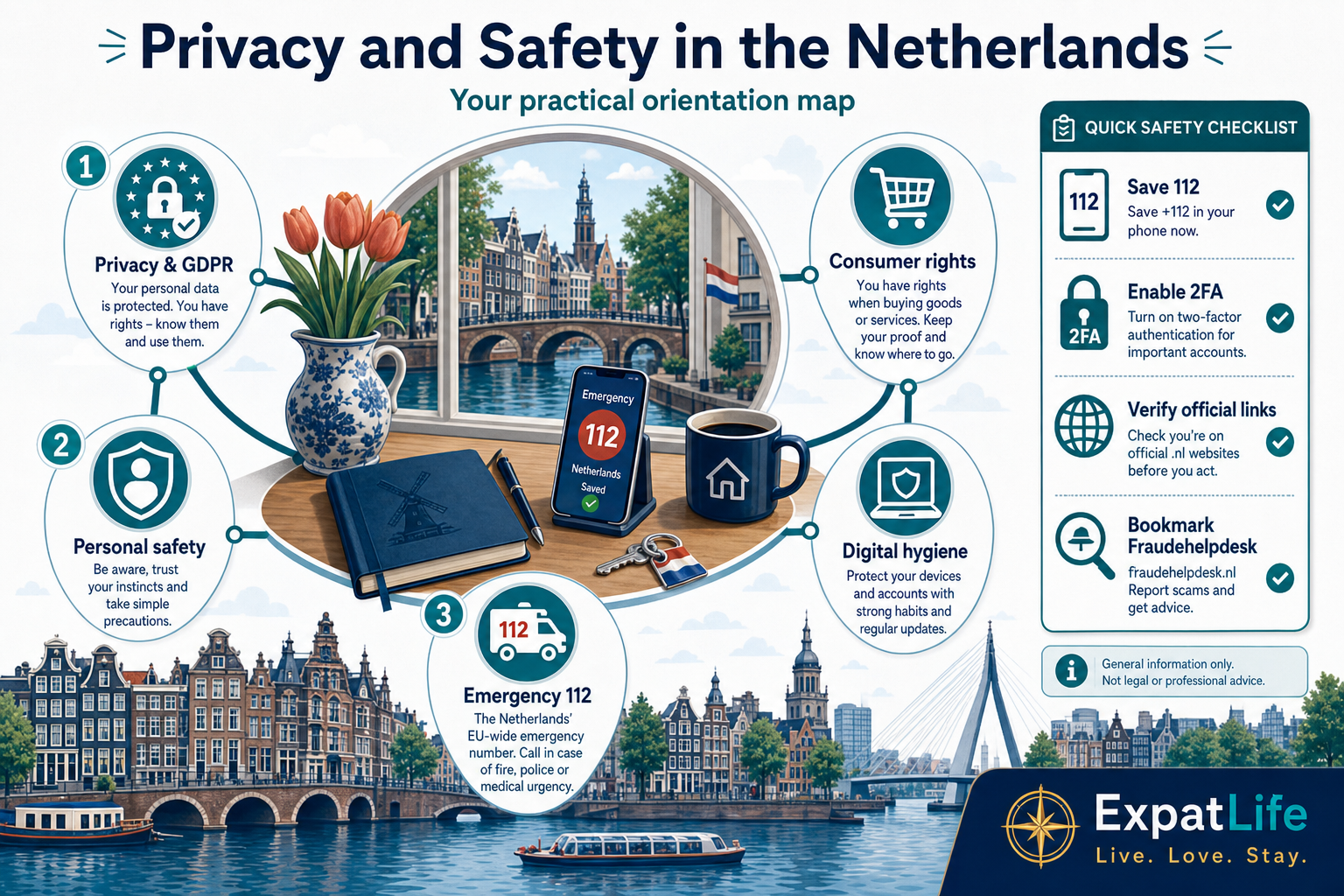
112 for life-threatening emergencies (police, fire, ambulance). For police when there is no immediate danger, use 0900-8844. For urgent medical advice when not life-threatening, contact your huisarts or local urgent care line.
The Netherlands applies EU GDPR rules. Organisations need lawful grounds to process data. You can ask what is collected and contact Autoriteit Persoonsgegevens about data protection concerns.
Phishing emails pretending to be Belastingdienst or IND, fake rental listings, marketplace payment tricks, WhatsApp payment requests and job offers asking for upfront fees or passport copies.
At a glance
Use these signals to orient yourself on emergency numbers, privacy norms, scam awareness and official channels before you settle in.
Day 1
Save 112
Add huisarts number when registered
Week 1
DigiD security
Review authorisations and MFA settings
Week 1–2
Home safety
Locks, smoke detectors, shared emergency contacts
Month 1
Scam patterns
Bookmark Fraudehelpdesk and official portals
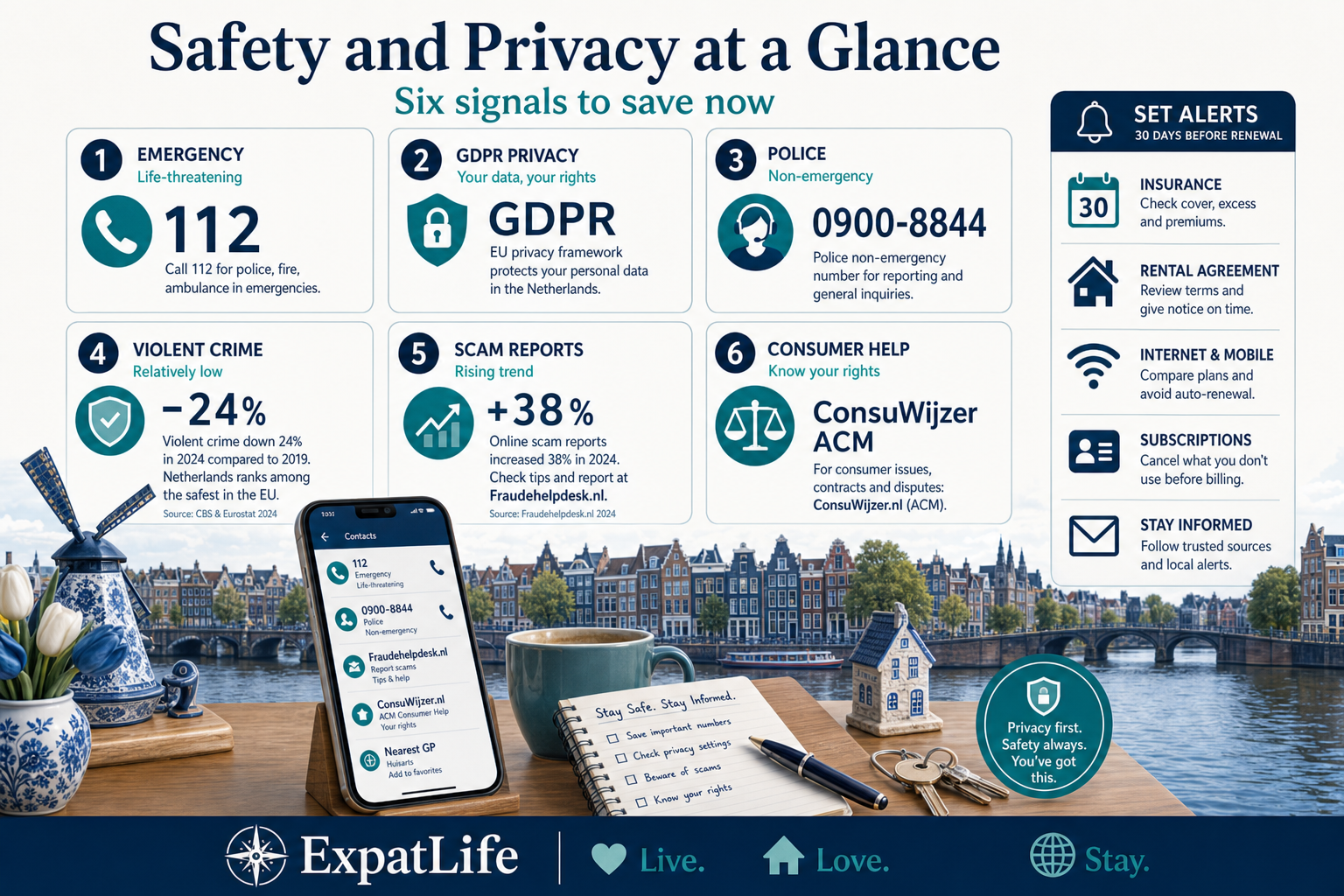
Personal data handling is regulated — organisations must explain why they collect information.
112 connects police, fire and ambulance for urgent emergencies across the Netherlands.
Most cities feel safe day-to-day; focus on theft prevention and digital fraud awareness.
Phishing, fake government messages and marketplace fraud target expats — verify links and payments.
ACM and ConsuWijzer help with market supervision and consumer disputes.
DigiD and official portals are normal — protect credentials like bank logins.
How to use this snapshot
Dutch society values privacy and straightforward communication about personal information. You will routinely share data for registration, taxes, healthcare and banking — but legitimate providers explain why data is needed.
GDPR gives residents rights to access, correct and sometimes delete personal data. Autoriteit Persoonsgegevens supervises compliance. This does not replace reading each organisation's privacy statement.
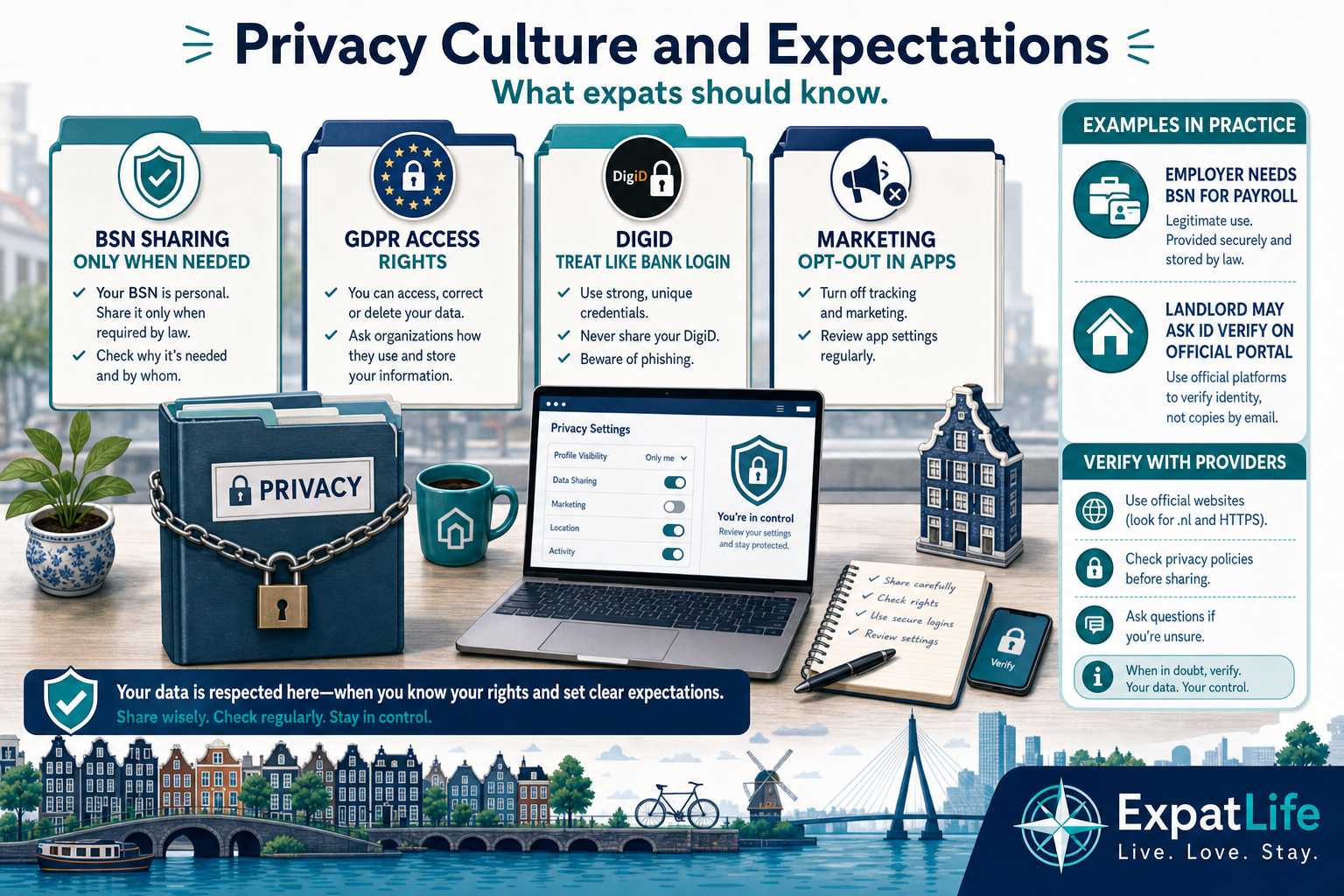
BSN, address and ID copies are sensitive — share only with verified landlords, employers, insurers and government channels.
Ask how long data is stored and whether it is shared with third parties before signing forms.
DigiD links you to government services — treat approval requests like banking logins.
You can often limit commercial contact; check privacy settings in apps and bank portals.
Practical tasks
| Task | How to do it | When |
|---|---|---|
| Read employer privacy notice | Contract and HR onboarding pack | Before or within your first work week |
| Watermark passport copies | Add purpose text such as 'for rental only' | Before sending scans to landlords |
| Review app permissions | Phone settings and bank or insurer apps | After installing banking and DigiD apps |
| Request your data copy | Organisation privacy contact or AP guidance | When unsure what data is stored about you |
Examples
| Situation | What to do | Note |
|---|---|---|
| Landlord asks for BSN before a viewing | Ask why it is needed now — many landlords only need it at contract signing. | Legitimate providers explain purpose and storage period clearly. |
| Marketing calls after opening a bank account | Check portal privacy settings and opt out of commercial contact. | You can often limit sharing for marketing without affecting core banking. |
| Old employer still has your address on file | Request correction under GDPR access and rectification rights. | Keep email confirmation of updates for your records. |
Most Dutch cities are walkable and well lit. Cycling is central to daily life — invest in a good lock and learn local traffic rules. Public transport is generally safe; keep bags closed in crowded trams.
Nightlife areas are busy and monitored but still use the same awareness you would in any European city: travel with friends, use licensed taxis or trusted apps, and plan your route home.
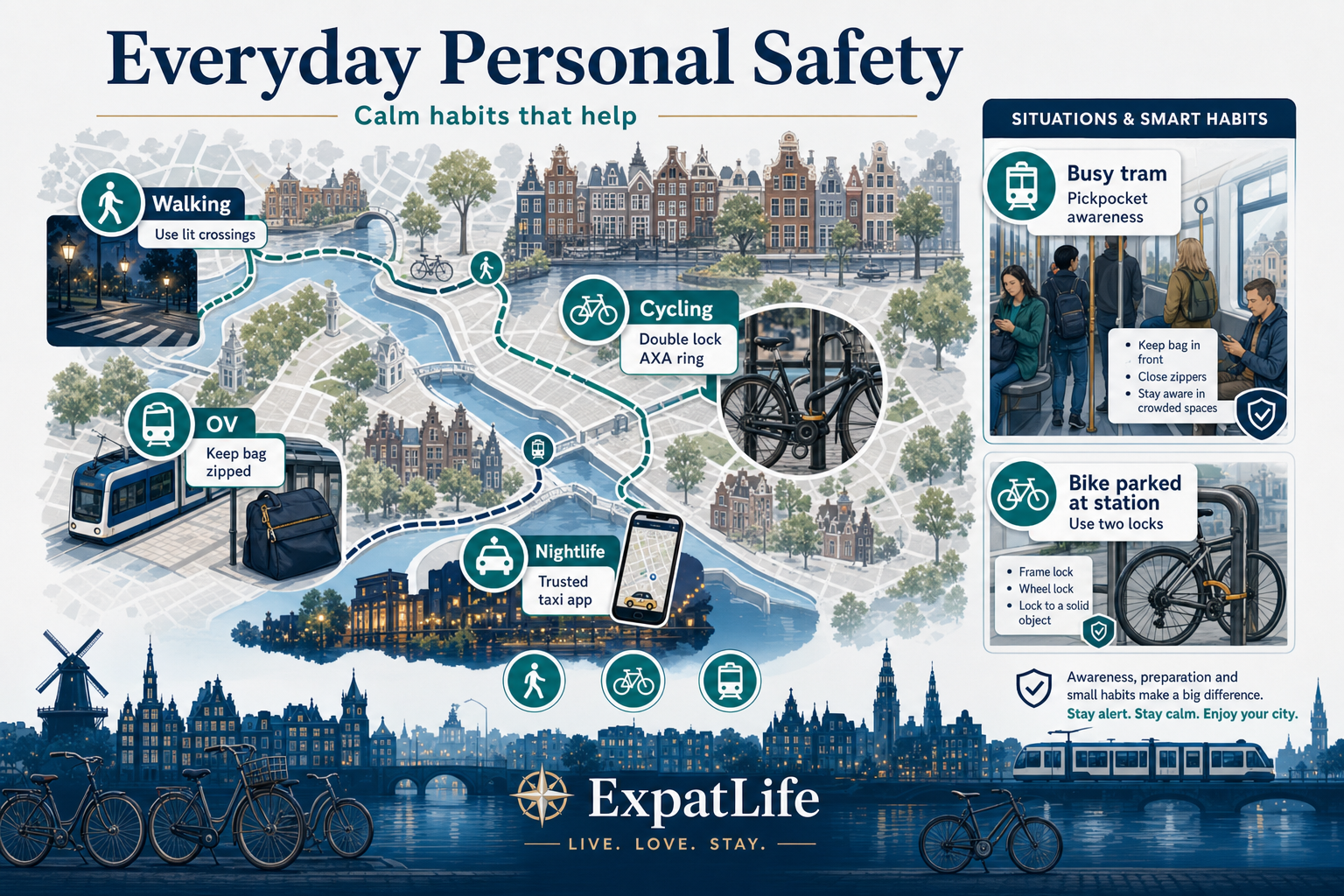
Stay aware at crossings; cyclists have priority on many paths.
Use two locks, park in lit areas, register your bike if the municipality offers it.
Validate OV cards, watch bags near doors, report harassment to staff.
Share itineraries for intercity trips; keep digital copies of ID separately from phones.
Practical tasks
| Task | How to do it | When |
|---|---|---|
| Photograph bike frame number | Phone gallery or insurer app | Day you buy or receive a bike |
| Save huisarts number | GP practice card or website | After registering with a practice |
| Plan late-night route | OV app or trusted ride app | Before nightlife or events |
| Enable find-my-device | Apple or Google account settings | First week with a new phone |
Examples
| Situation | What to do | Note |
|---|---|---|
| Phone stolen on a crowded tram | Freeze bank cards in the banking app, remote-wipe the phone, report at politie.nl. | Fraud often follows within minutes — speed matters more than recovering the device. |
| Bike missing from a rack you used daily | Check nearby racks, then file theft report with frame photos if available. | Insurance claims often need a police reference even when the bike is not found. |
| Feeling followed while walking at night | Enter a shop, café or staffed station; call 112 if threatened. | Busy Dutch centres usually have open venues within a short walk. |
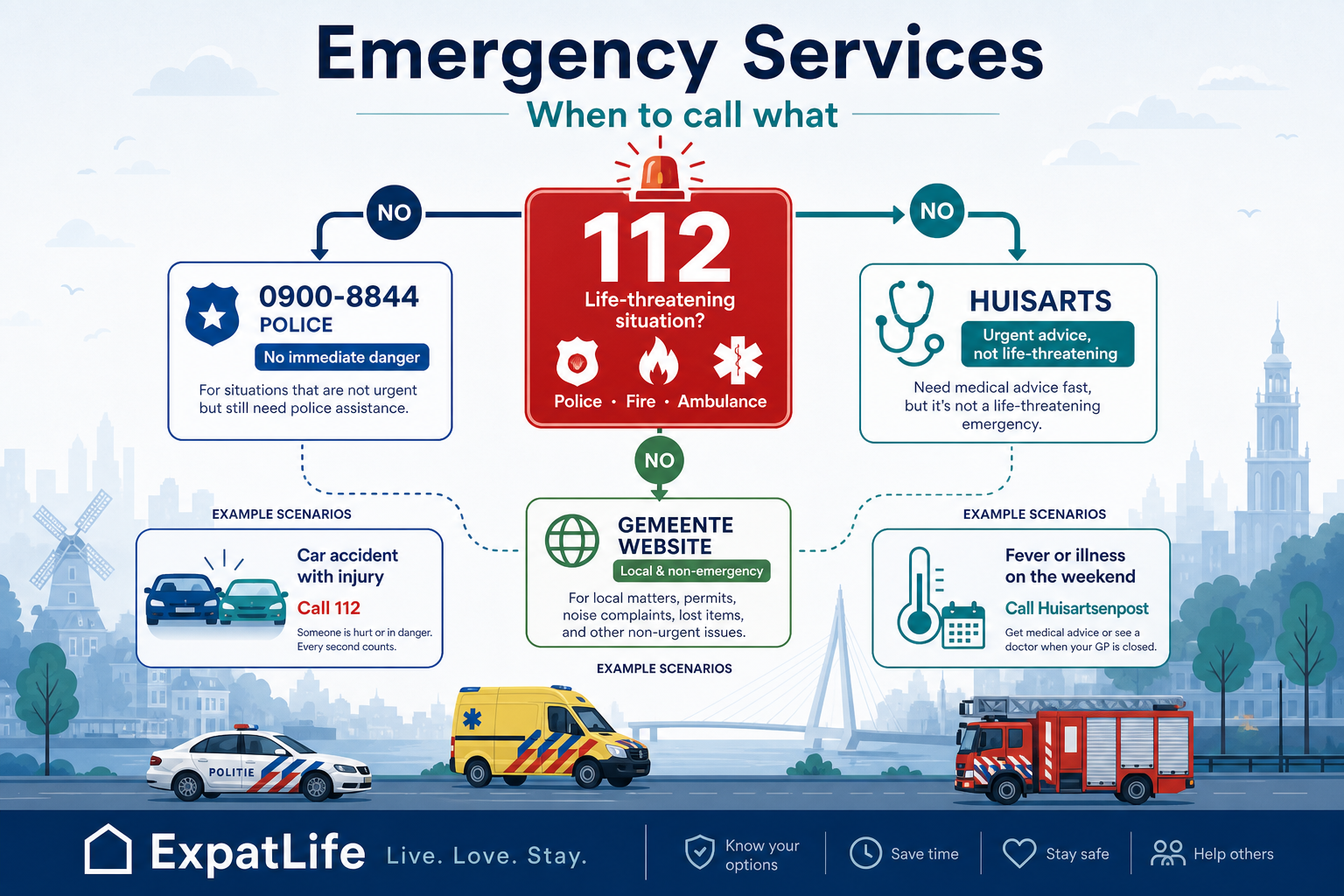
112 is the single emergency number for police, fire and ambulance when lives are at risk or crime is in progress. Operators may ask location, nature of emergency and callback number — stay on the line.
Non-emergency police: 0900-8844. For medical issues that are urgent but not life-threatening, contact your huisarts or local urgent care (huisartsenpost). Gemeente websites list local non-emergency contacts.
Practical tasks
| Task | How to do it | When |
|---|---|---|
| Life-threatening emergency | Call 112 | Police, fire or ambulance — stay on the line |
| Crime without immediate danger | Call 0900-8844 or politie.nl | Theft reports, harassment documentation |
| Urgent medical advice | Huisarts or huisartsenpost | Not life-threatening but needs same-day care |
| Poison or medication emergency | Call 112 | Follow operator instructions immediately |
Examples
| Situation | What to do | Note |
|---|---|---|
| Witnessing a traffic accident with injuries | Call 112, give location and number of injured people. | Do not move seriously injured people unless immediate danger. |
| Bike stolen overnight | File report via politie.nl or 0900-8844 with frame number photos. | Insurance may require an official report even if the bike is not recovered. |
| Chest pain but conscious and breathing | Call huisartsenpost or 112 if severe — operator triages urgency. | 112 is correct if symptoms worsen rapidly. |
Dutch police (Politie) handle crime reports, traffic incidents, lost property and community safety programmes. Many services are available online at politie.nl including theft reports when safe to file digitally.
Community officers engage with neighbourhoods and schools. Reporting minor theft helps statistics and may support insurance claims even when items are not recovered.
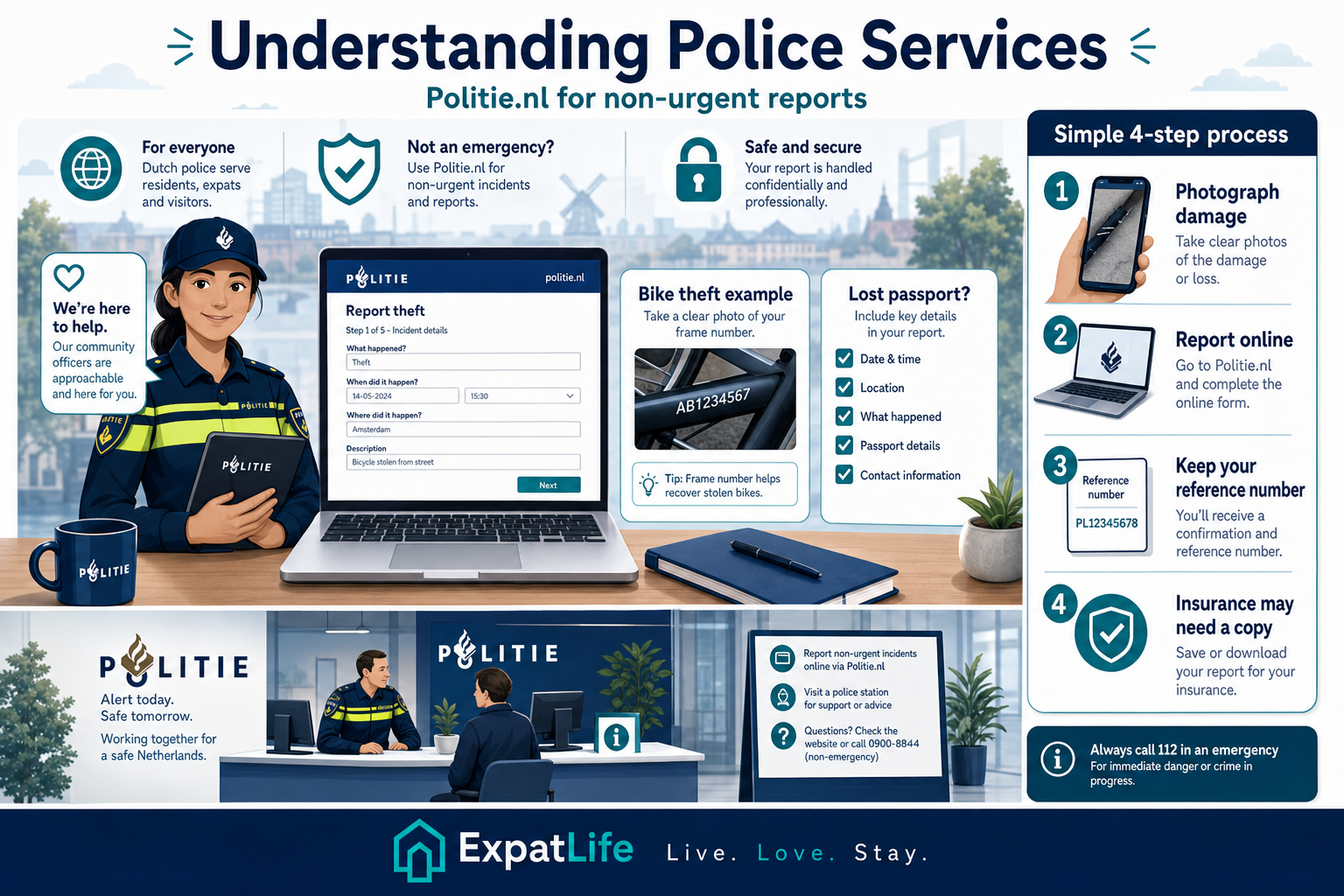
Theft, vandalism and some fraud cases can be filed at politie.nl when safe.
Search politie.nl lost-and-found orientation — gemeente may handle some documents.
Save report IDs for insurance and employer documentation.
Wijkagenten engage locally — useful for neighbourhood questions, not emergencies.
Practical tasks
| Task | How to do it | When |
|---|---|---|
| Report bike theft | politie.nl online form or 0900-8844 | When you discover the theft |
| Report pickpocketing or bag theft | politie.nl or station staff if at a hub | Same day if possible for insurance |
| Document lost Dutch ID | politie.nl plus gemeente ID procedures | As soon as you confirm loss |
| Request police reference letter | Follow politie.nl guidance for your report type | When insurer or employer needs proof |
Examples
| Situation | What to do | Note |
|---|---|---|
| Car window smashed, nothing taken | Photograph damage, file online report for insurance documentation. | Even minor damage claims often need an official reference. |
| Harassment on public transport | Tell staff immediately; they can involve security or police at next stop. | 112 if you feel immediate danger; otherwise staff can help document the incident. |
| Online marketplace buyer never paid | Keep chat logs; report fraud pattern to Fraudehelpdesk if payment trick was used. | Police report may help if identity theft or large loss is involved. |
Newcomers rely on email, banking apps, DigiD and marketplace platforms from day one. Strong passwords, device updates and scepticism toward unsolicited messages reduce most digital risk.
Official government communication usually arrives via secure portals or post — not random SMS links asking for full credentials.
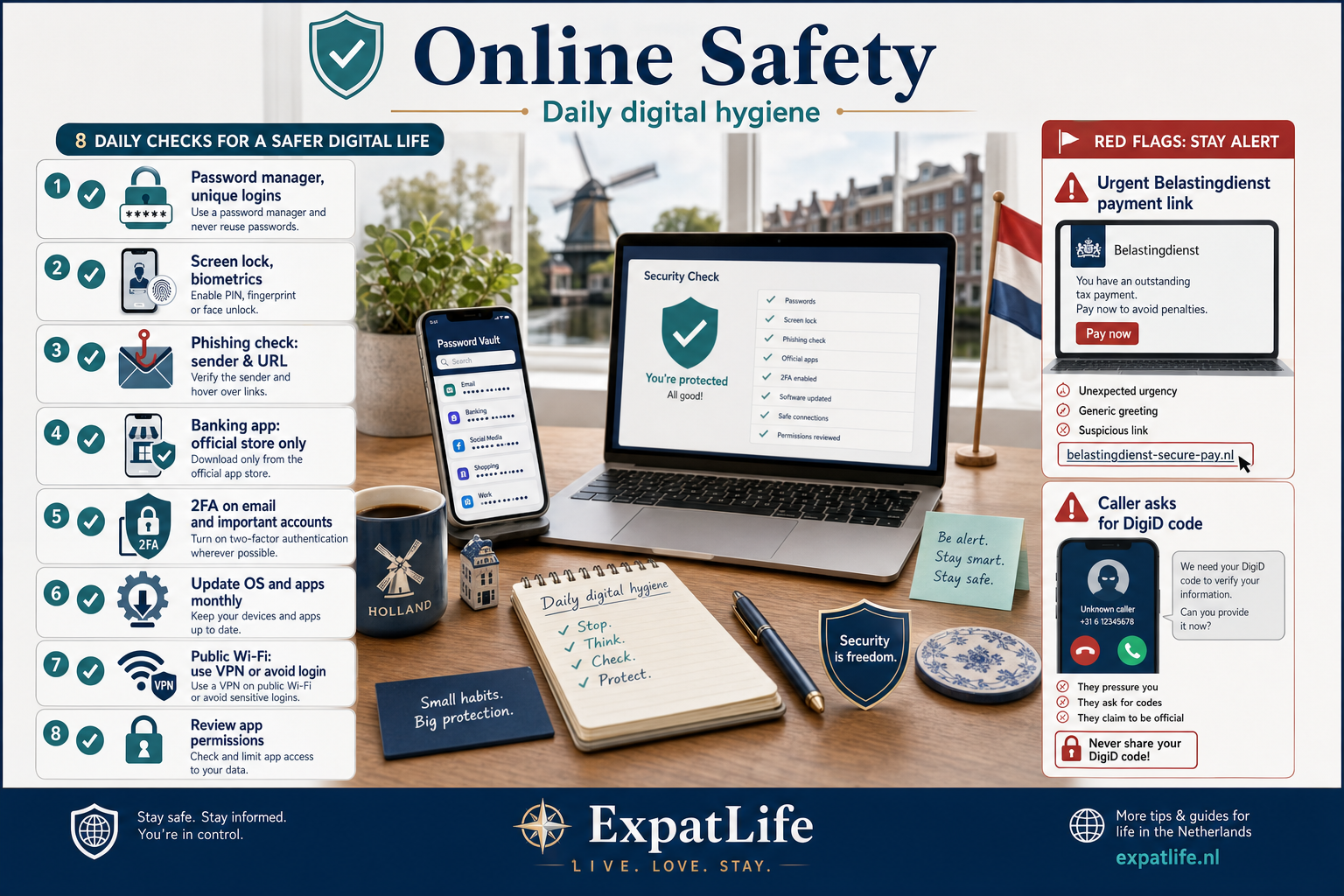
Use a password manager and unique passwords for email, banking and DigiD.
Enable screen lock, biometrics and automatic OS updates.
Check sender addresses and URLs; type official sites manually.
Avoid sensitive logins on open networks or use a trusted VPN.
Practical tasks
| Task | How to do it | When |
|---|---|---|
| Enable two-factor authentication | Email, banking and cloud storage settings | First week after arrival |
| Review DigiD authorisations | DigiD app or digid.nl | Monthly during first year |
| Update phone OS and apps | Automatic updates or manual check monthly | Ongoing |
| Report phishing email | Forward to employer IT or mark as phishing in mail app | When suspicious message arrives |
Examples
| Situation | What to do | Note |
|---|---|---|
| SMS claims DigiD will expire with a link | Delete message; open digid.nl manually or use the official app only. | DigiD does not threaten account closure via random text links. |
| Browser warning on a tax website | Stop; type belastingdienst.nl yourself and check for padlock and correct domain. | Look-alike domains are a common phishing technique for newcomers. |
| Work laptop asks for unusual admin access | Contact employer IT through known channels before installing anything. | Job scams sometimes start with malicious software downloads. |
Scammers often target expats who are unfamiliar with Dutch government communication patterns, rental market pressure and payment habits. Recognising these patterns early helps you verify before paying or sharing documents.
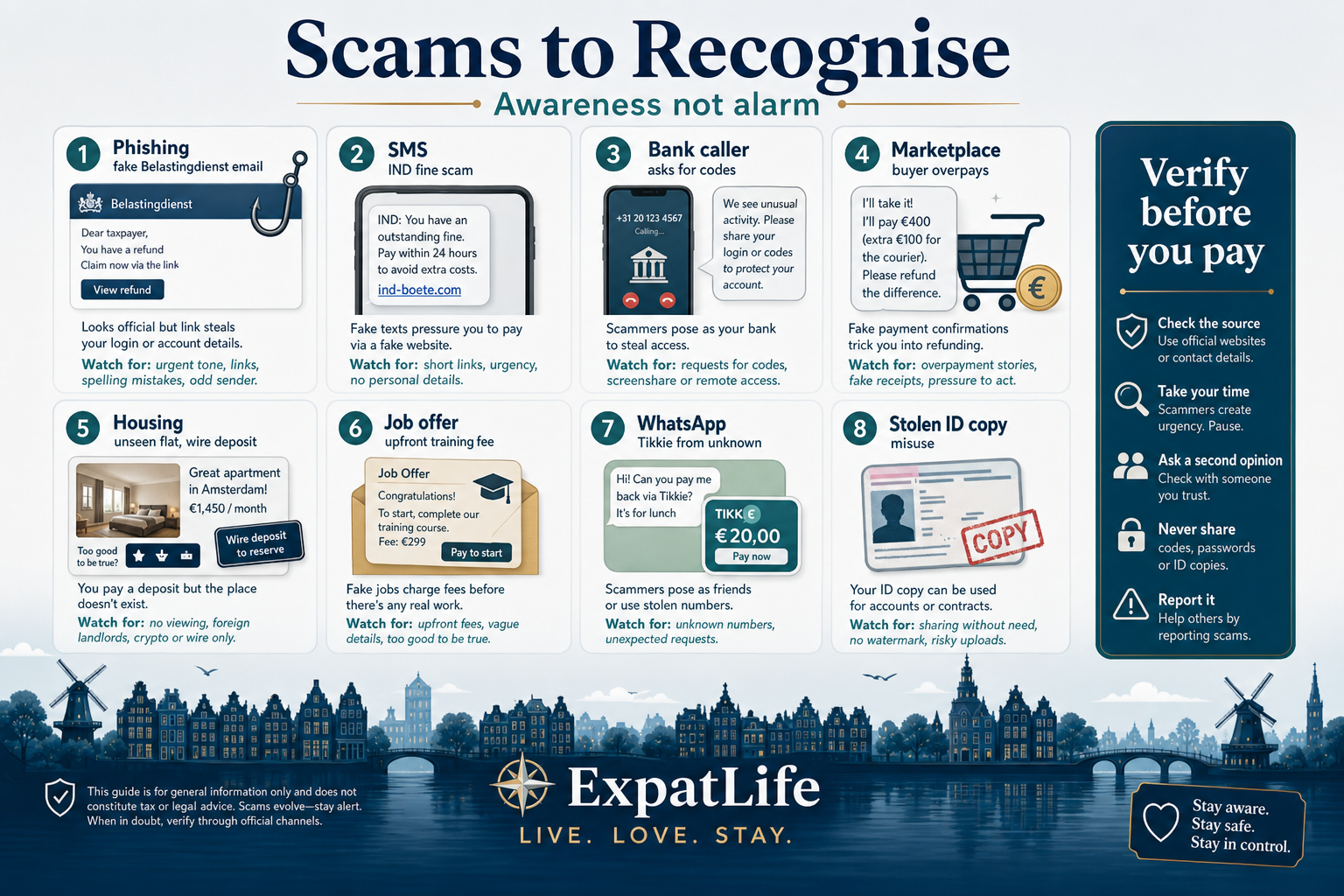
Fake Belastingdienst, bank or IND messages with urgent payment links — check domains and log in via official sites only.
SMS or WhatsApp claiming fines or visa issues — government rarely demands immediate wire transfers.
Caller impersonating bank fraud teams asking for codes or remote access — banks do not ask for full DigiD sequences.
Buyers overpaying or sellers insisting on off-platform payment — use in-person exchange when possible.
Unseen properties, foreign wire requests and copied photos from real listings.
Upfront training fees, passport copies before contract or unrealistic salaries.
Family impersonation or Tikkie requests from unknown numbers — call back on known numbers.
Stolen ID copies used for contracts — limit copies and watermark purpose on documents.
Examples
| Situation | What to do | Note |
|---|---|---|
| Email claims Belastingdienst fine with payment link | Do not click — log in via belastingdienst.nl manually and check messages. | Tax authority rarely demands immediate wire transfers by email. |
| Rental listing below market with foreign wire deposit | Refuse payment until you view the property and sign a contract. | Copied photos from real listings are a common housing scam signal. |
| Bank caller asks for DigiD codes or remote access | Hang up and call the number on your bank card or app. | Banks do not ask for full DigiD sequences or screen-sharing. |
| WhatsApp Tikkie from unknown number | Do not pay — verify identity by calling on a known number. | Family impersonation scams spike during holidays and travel. |
Practical tasks
| Task | How to do it | When |
|---|---|---|
| Stop payment if possible | Bank app freeze or fraud line | Immediately when fraud is discovered |
| Report to Fraudehelpdesk | fraudehelpdesk.nl report form | Same day — helps national alerts |
| File police report if needed | politie.nl for theft or identity fraud | When documentation required |
| Notify employer or school IT | Known IT contact if work or campus accounts involved | If phishing targeted work login |
Open accounts through official bank websites or branches. Dutch payment culture uses cards, Tikkie and iDEAL — always verify recipient names before approving.
If your phone or card is lost, freeze cards in the banking app immediately and report to the bank and police if theft is suspected.
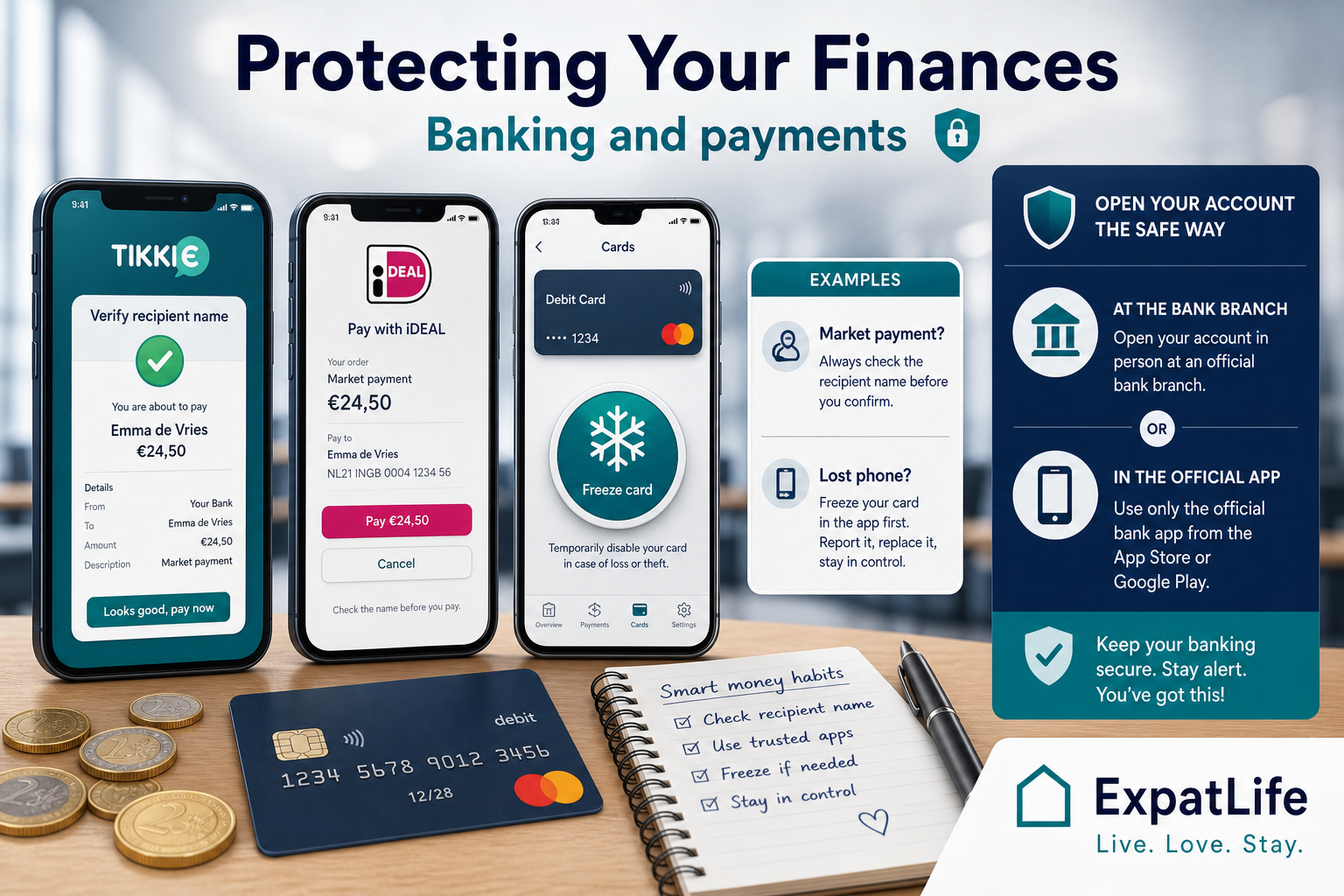
Browser or app redirect to your bank — confirm merchant name and amount before approving.
Check sender name and amount; scammers spoof familiar names on payment requests.
Most Dutch banking apps let you block cards instantly without calling.
Review small test transactions — fraudsters sometimes probe accounts with tiny amounts first.
Practical tasks
| Task | How to do it | When |
|---|---|---|
| Freeze lost or stolen card | Banking app card settings | Immediately when card or phone is missing |
| Verify Tikkie before paying | Match name and amount in banking app | Every payment request |
| Report unauthorised debit | Bank fraud line or in-app dispute | Within 24 hours when possible |
| Set payment alerts | Bank app notification settings | After opening your account |
Examples
| Situation | What to do | Note |
|---|---|---|
| Caller claims bank fraud team needs your codes | Hang up; call the number on your bank card or use the official app chat. | Banks never ask for full login sequences or remote desktop access. |
| iDEAL payment page looks different than usual | Cancel; log into your bank manually and check pending payments. | Fake payment pages mimic bank styling — verify the bank domain. |
| Small unknown charge on statement | Dispute via app and monitor for follow-up charges. | Micro-charges sometimes test whether a stolen card is still active. |
Rental scams peak during tight markets. Warning signs include below-market prices, refusal to show the property, pressure to pay before contract signing and requests to wire deposits abroad.
Use established platforms, verify agency registration where possible and register your address at the gemeente only after signing a legitimate contract.
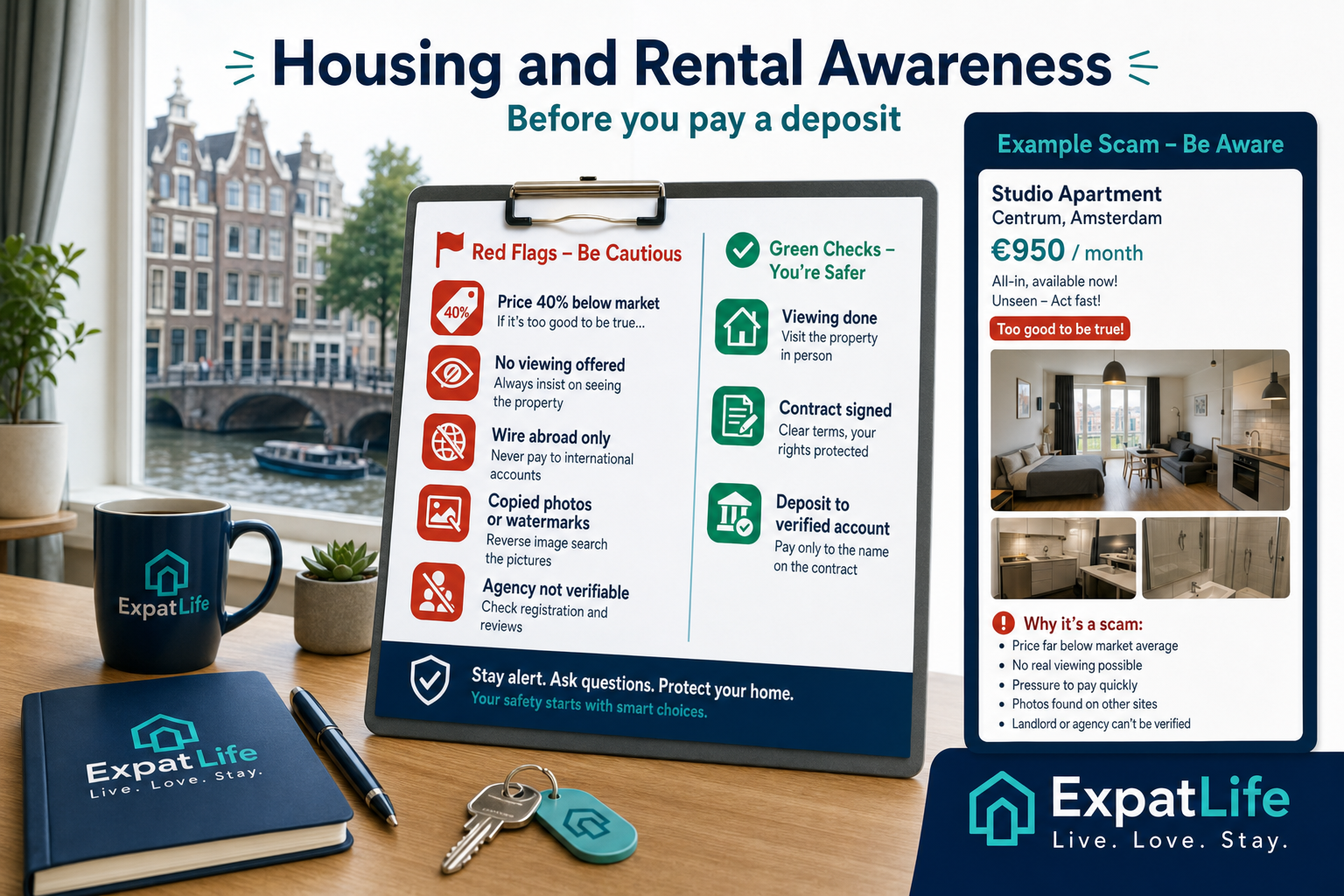
If a canal-centre flat looks half the usual rent, verify identity before any payment.
Refuse deposits when the landlord refuses video or in-person walkthrough.
Legitimate Dutch rentals usually use Dutch bank accounts and signed contracts.
Reverse-image search listing photos if the same kitchen appears on multiple cities.
Practical tasks
| Task | How to do it | When |
|---|---|---|
| Verify landlord or agency | KVK lookup, platform profile and viewing | Before any deposit |
| Inspect contract terms | Notice period, deposit cap and utilities | Before signing |
| Transfer deposit to verified account | Match name on contract to bank account holder | Only after signed contract |
| Report suspicious listing | Platform report button plus politie.nl if fraud suspected | When red flags appear |
Examples
| Situation | What to do | Note |
|---|---|---|
| Landlord abroad asks for Western Union deposit | Stop — this is a classic scam pattern in Dutch rental markets. | Legitimate landlords use Dutch contracts and local bank transfers. |
| Agency charges fee before showing the property | Research agency registration; many reputable agencies charge only after match. | Student cities see extra fake agency websites each autumn. |
| Roommate found listing on social media only | Insist on viewing and written sublet permission from main tenant or landlord. | Illegal sublets can leave you without tenant rights or deposit protection. |
DigiD is the gateway to taxes, healthcare admin and many gemeente services. Activate only via digid.nl or the official app. Approval happens on your phone — never share codes with callers.
Review which organisations have active DigiD authorisations and revoke unused ones. Government portals guide links to official tasks — bookmark our government portals guide for orientation.
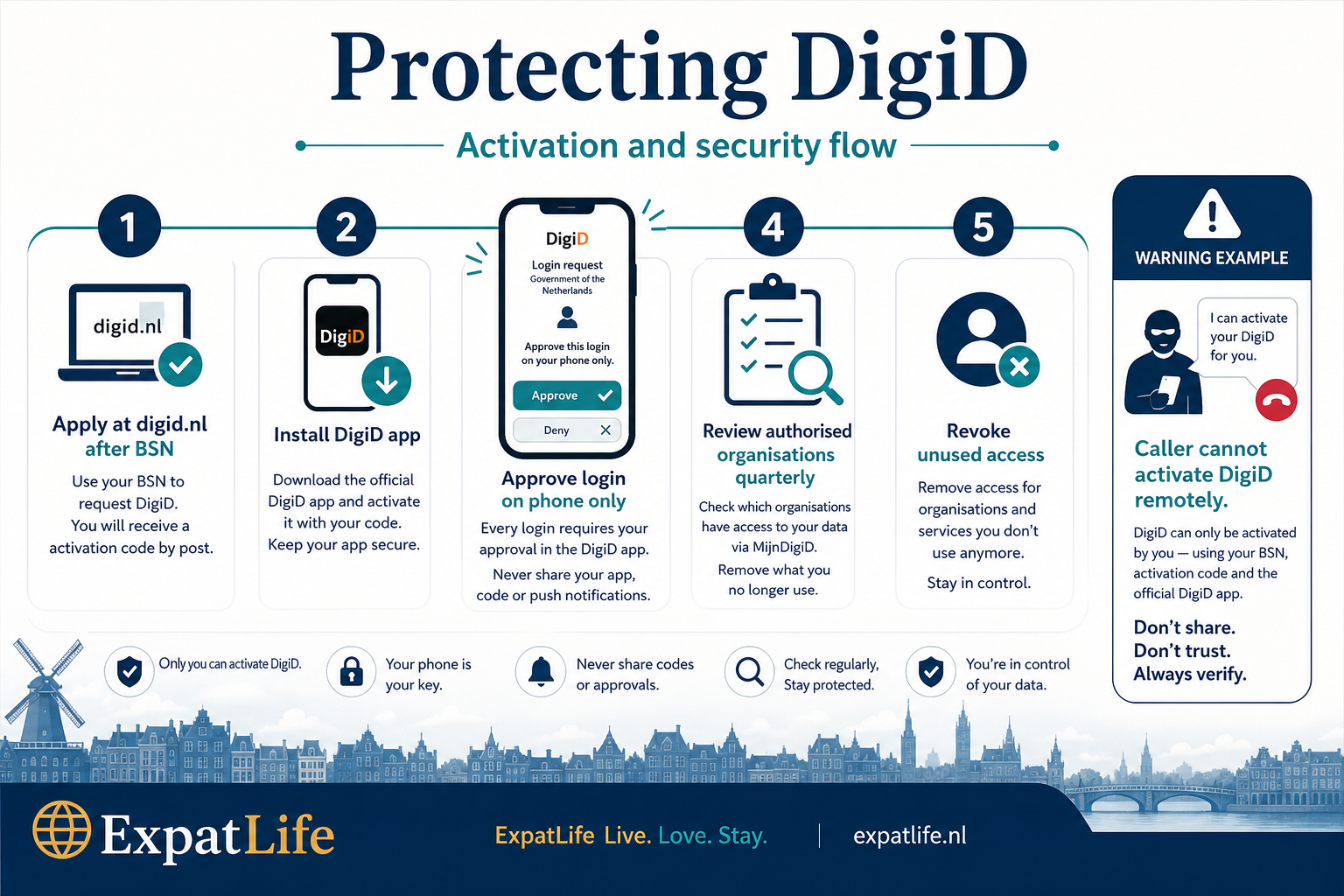
Official code arrives by post to your registered address — plan timing after gemeente registration.
Legitimate logins show a push notification on your phone — approve only requests you initiated.
Revoke old insurer or employer DigiD links you no longer use.
Store backup codes offline — not in the same cloud as your password list.
Practical tasks
| Task | How to do it | When |
|---|---|---|
| Activate DigiD | digid.nl after BSN and address registration | Usually week 2–4 after arrival |
| Install DigiD app | Official app store listing from digid.nl | During activation |
| Review authorisations | DigiD app organisation list | Monthly in first year |
| Bookmark agency portals | Government portals guide plus MijnOverheid | After DigiD works |
Examples
| Situation | What to do | Note |
|---|---|---|
| Unexpected DigiD approval on your phone | Deny the request; change passwords if you did not initiate login. | Attackers sometimes trigger approvals hoping you tap approve quickly. |
| Caller says Belastingdienst needs screen sharing | Hang up; tax matters go through official portals or post. | Tax authority does not resolve cases via unsolicited remote access. |
| Lost phone with DigiD app installed | Remote wipe phone, contact DigiD helpdesk, freeze bank cards. | Treat a lost unlocked phone like a lost wallet plus login device. |
Consumers can turn to ConsuWijzer for disputes, cooling-off questions and unfair contract patterns. ACM supervises markets including telecom and energy retail.
Fraudehelpdesk collects scam reports and publishes alerts — useful for recognising new fraud campaigns targeting expats.
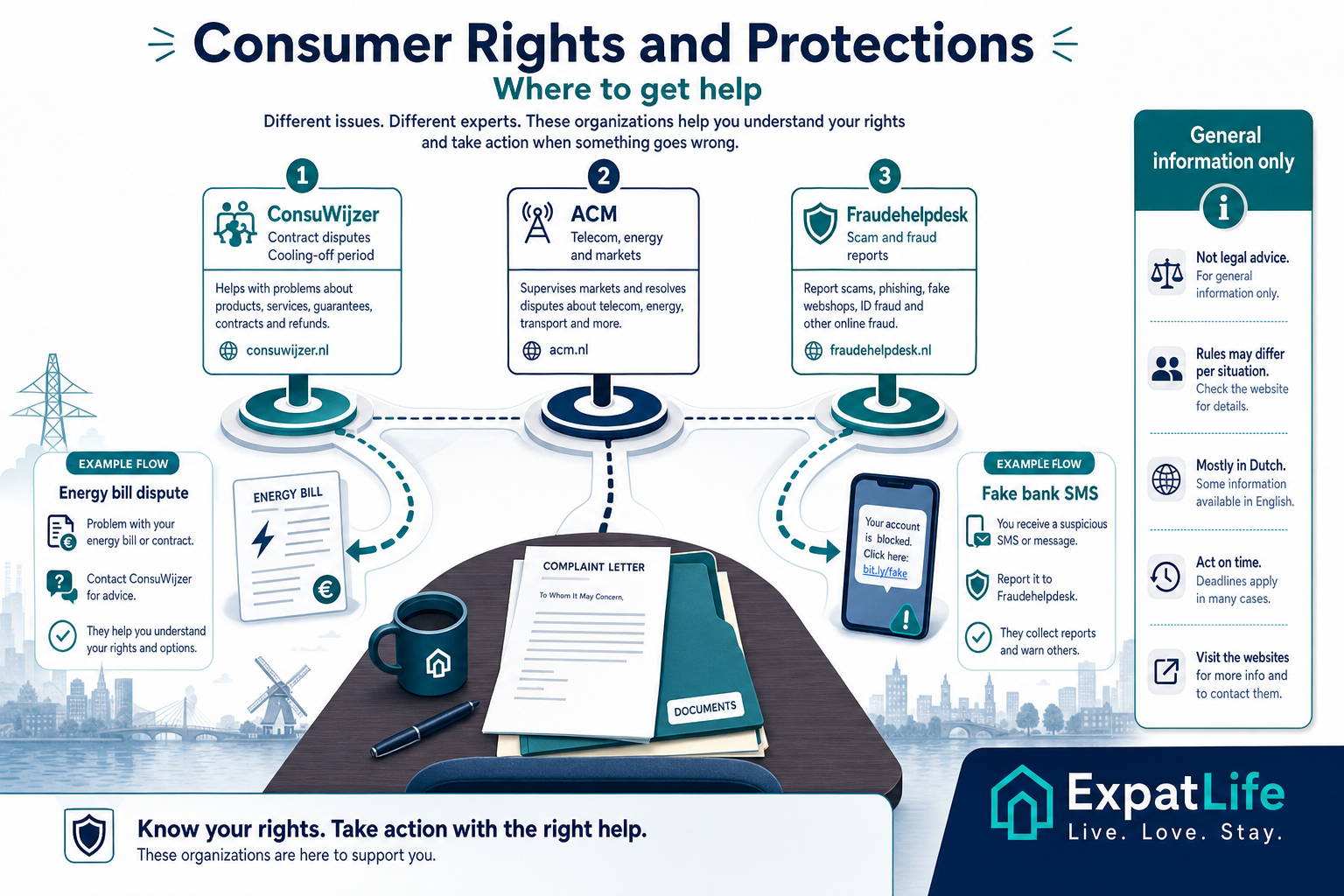
Free orientation on disputes, cooling-off periods and unfair contract terms.
Market supervisor for telecom, energy and competition issues — publishes switching guidance.
Scam alerts and reporting — separate from contract disputes but often paired with fraud.
Contracts, emails, screenshots and payment references strengthen complaints.
Practical tasks
| Task | How to do it | When |
|---|---|---|
| Contract dispute orientation | consuwijzer.nl complaint wizard | After failed direct contact with provider |
| Report telecom or energy issue | ACM consumer information pages | When switching blocked or misleading offer |
| Report scam attempt | fraudehelpdesk.nl | Even if you did not lose money |
| Escalate unresolved dispute | ConsuWijzer or sector mediator per guidance | After provider deadline passes |
Examples
| Situation | What to do | Note |
|---|---|---|
| Gym refuses cancellation despite notice sent | Gather notice email and contract; start ConsuWijzer orientation with dates. | Minimum terms and notice windows are common dispute themes. |
| Energy provider auto-renewed without clear notice | Check contract renewal clause; contact ConsuWijzer with correspondence. | Keep meter readings and renewal emails as evidence. |
| Paid scammer posing as insurer | Call bank immediately, report Fraudehelpdesk, file politie.nl if needed. | Consumer dispute channels differ from fraud recovery paths. |
Families register children for healthcare and schools after address registration. Cycling education starts early — helmets and lights are strongly recommended for children.
Neighbourhood networks, sports clubs and school parent groups are common community anchors. Know your huisarts and local urgent pediatric routes.
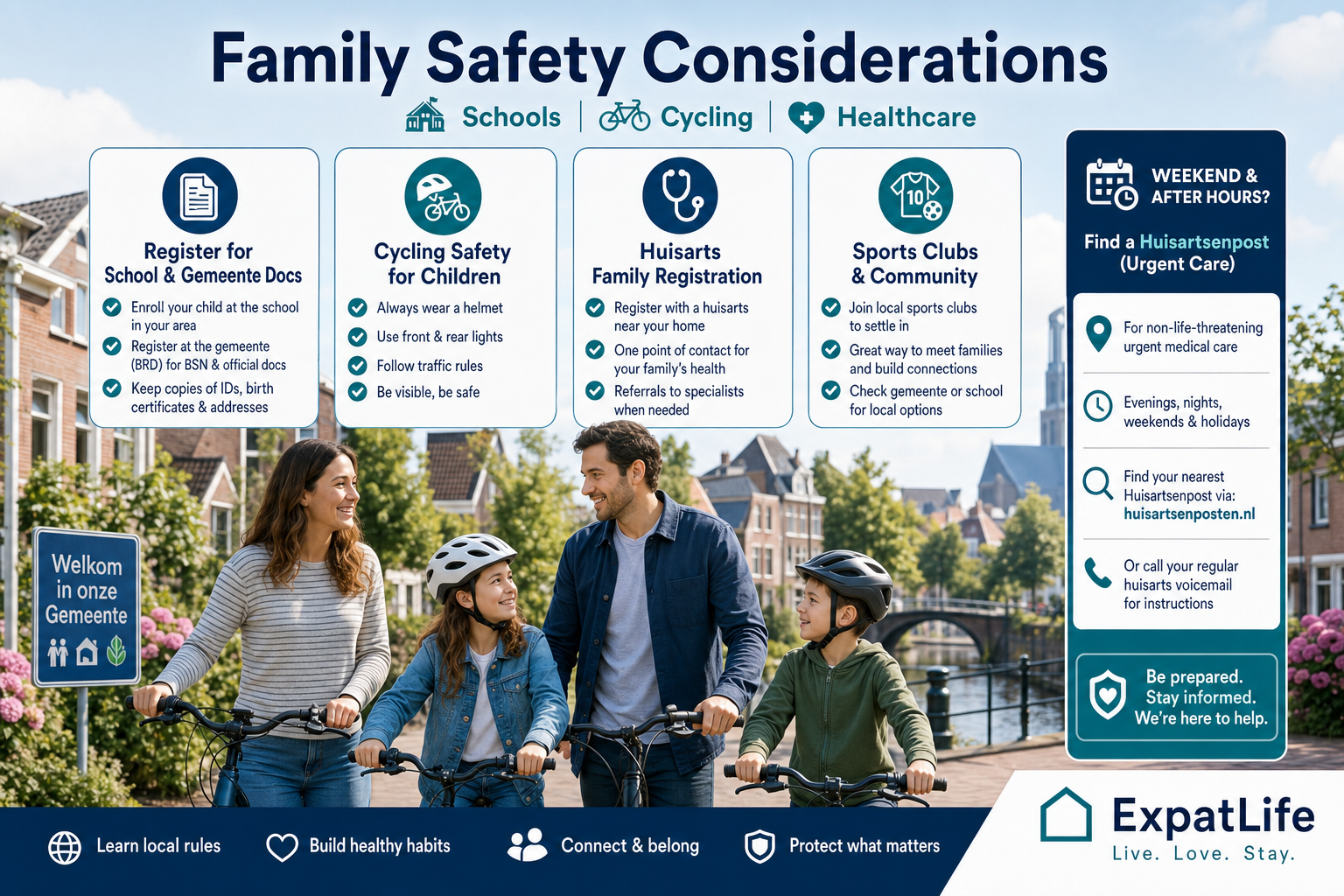
Use official school registration channels; verify communication domains.
Teach traffic rules; use child seats and lights on family bikes.
Register with a huisarts; know weekend urgent care locations.
Join local activities through schools, clubs or gemeente listings.
Practical tasks
| Task | How to do it | When |
|---|---|---|
| Register children for healthcare | Insurer portal after address registration | Within first weeks after arrival |
| Save pediatric urgent care route | Huisarts and huisartsenpost websites | Before first weekend need |
| Teach bike traffic rules | School programmes and gemeente cycling maps | Before independent child cycling |
| Share family emergency list | Phone contacts and paper copy at home | First week in new home |
Examples
| Situation | What to do | Note |
|---|---|---|
| Child falls off bike, conscious with minor injury | Call huisarts or huisartsenpost; 112 if head injury or loss of consciousness. | Many families save huisartsenpost number separately from 112. |
| School email asks for passport copy via odd link | Verify with school office through known phone number before uploading. | Phishing sometimes targets school payment or document portals. |
| Neighbour reports suspicious activity | Note details; call 0900-8844 or 112 if immediate danger. | Community WhatsApp groups are useful but not official emergency channels. |
International students often hunt for housing in competitive cities. Prefer university housing offices or verified agencies. Share flatmate contacts and emergency numbers.
Nightlife and festival seasons increase phone theft — use lock screens and find-my-device features. Report campus phishing to university IT.
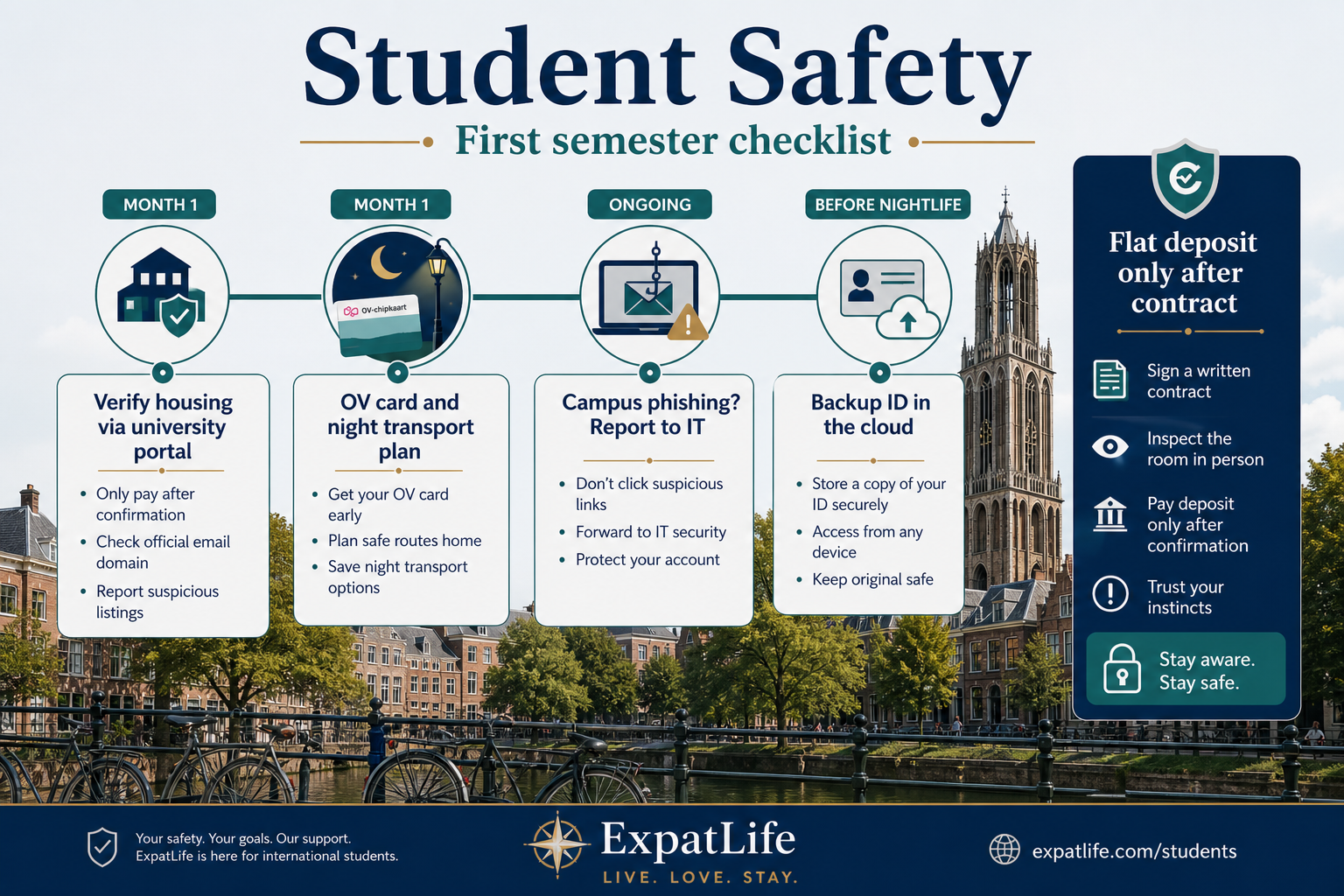
Use official housing office portals — not forwarded social media links alone.
Plan last train times; save trusted ride apps before festival season.
Lock screens and find-my-device are essential in busy student areas.
IT departments warn about fake tuition or library payment emails each term.
Practical tasks
| Task | How to do it | When |
|---|---|---|
| Verify housing offer | University housing office email domain | Before any deposit transfer |
| Register with huisarts | Practice near campus or flat | First month after arrival |
| Save OV night alternatives | NS and local operator apps | Before first late event |
| Report campus phishing | University IT security contact | When suspicious email targets student login |
Examples
| Situation | What to do | Note |
|---|---|---|
| Facebook housing group demands deposit today | Refuse; use university housing or verified agencies with viewings. | Autumn intake sees a spike in fake room listings in student cities. |
| Festival phone stolen | Freeze cards, wipe device, report theft for insurance. | Many students lose phones in crowds — prepare freeze steps in advance. |
| Fake internship offer requests passport scan | Verify company via KVK and official careers portal before sending ID. | Job scams target international students with remote work promises. |
Major Dutch cities share reliable services but differ in density, nightlife patterns and rental market pressure. Use city guides for neighbourhood-specific orientation.
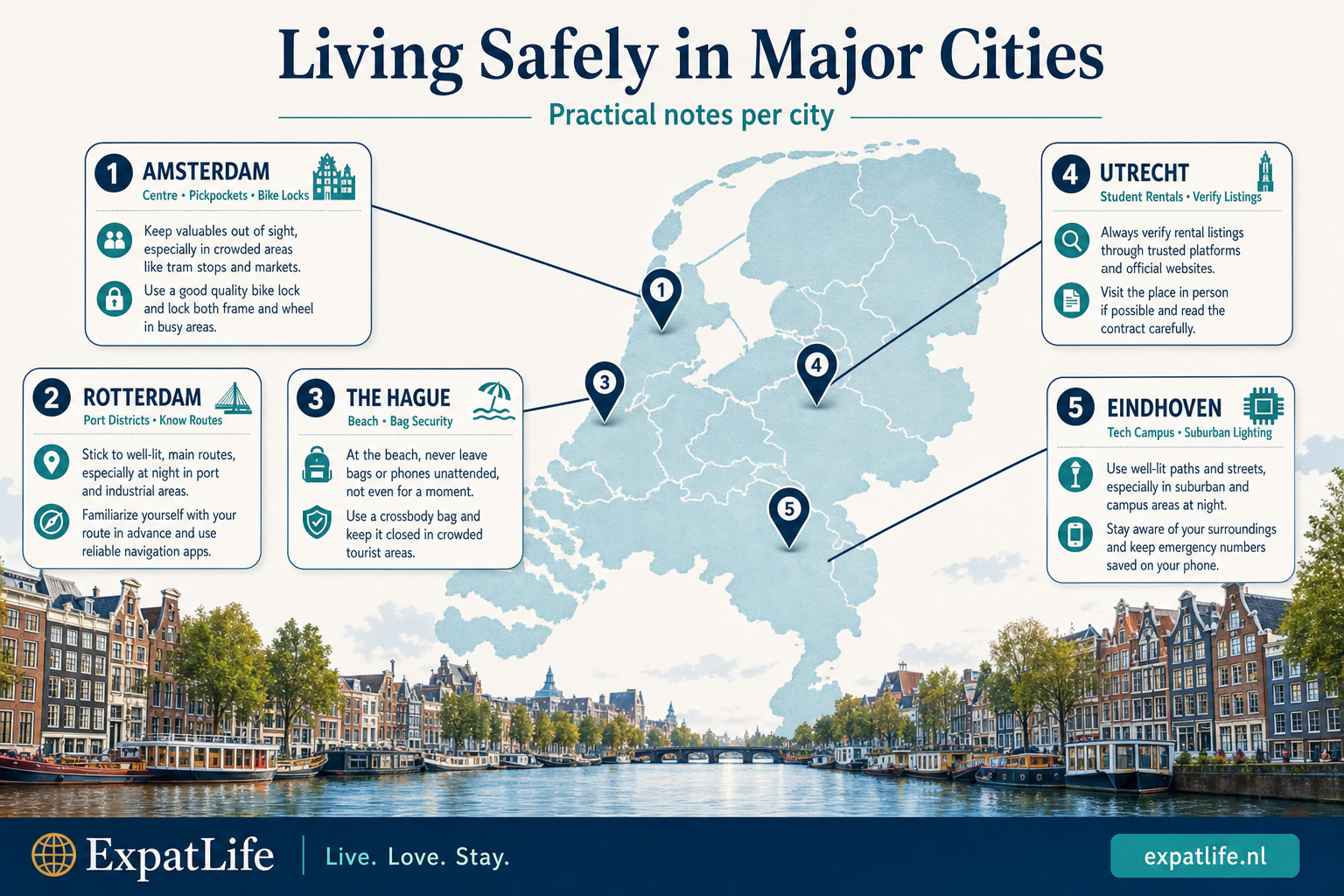
Busy historic centre, heavy tourism and nightlife
Pickpocket awareness, bike theft prevention, crowded tram exits
Open city guide RotterdamModern port city with diverse neighbourhoods
Learn district layouts; secure bikes near transport hubs
Open city guide The HagueInternational institutions and beach districts
Embassy quarter traffic; beach season bag security
Open city guide UtrechtUniversity city with canal centre
Student rental market — verify listings; busy bike storage areas
Open city guide EindhovenTech hub with suburban campuses
Industrial zones vs residential — plan routes after dark
Open city guideExamples
| Situation | What to do | Note |
|---|---|---|
| Tourist crowds in Amsterdam centre | Zip bags on trams; use bike rings in lit streets; avoid phone at tram doors. | Pickpocketing peaks near Centraal and busy market streets. |
| Student housing search in Utrecht or Delft | Verify listings via university housing; refuse unseen-property deposits. | Autumn intake drives scam listing volume in university cities. |
| Beach day in The Hague or Scheveningen | Do not leave bags unattended; use lockers where available. | Summer beach theft targets phones and wallets left on towels. |
| Late night in Rotterdam transport hubs | Stay in staffed areas; plan OV or ride app before last train. | Port city districts vary — learn your neighbourhood routes in daylight first. |
Complete these practical steps in your first weeks after arrival to build calm, everyday safety habits.
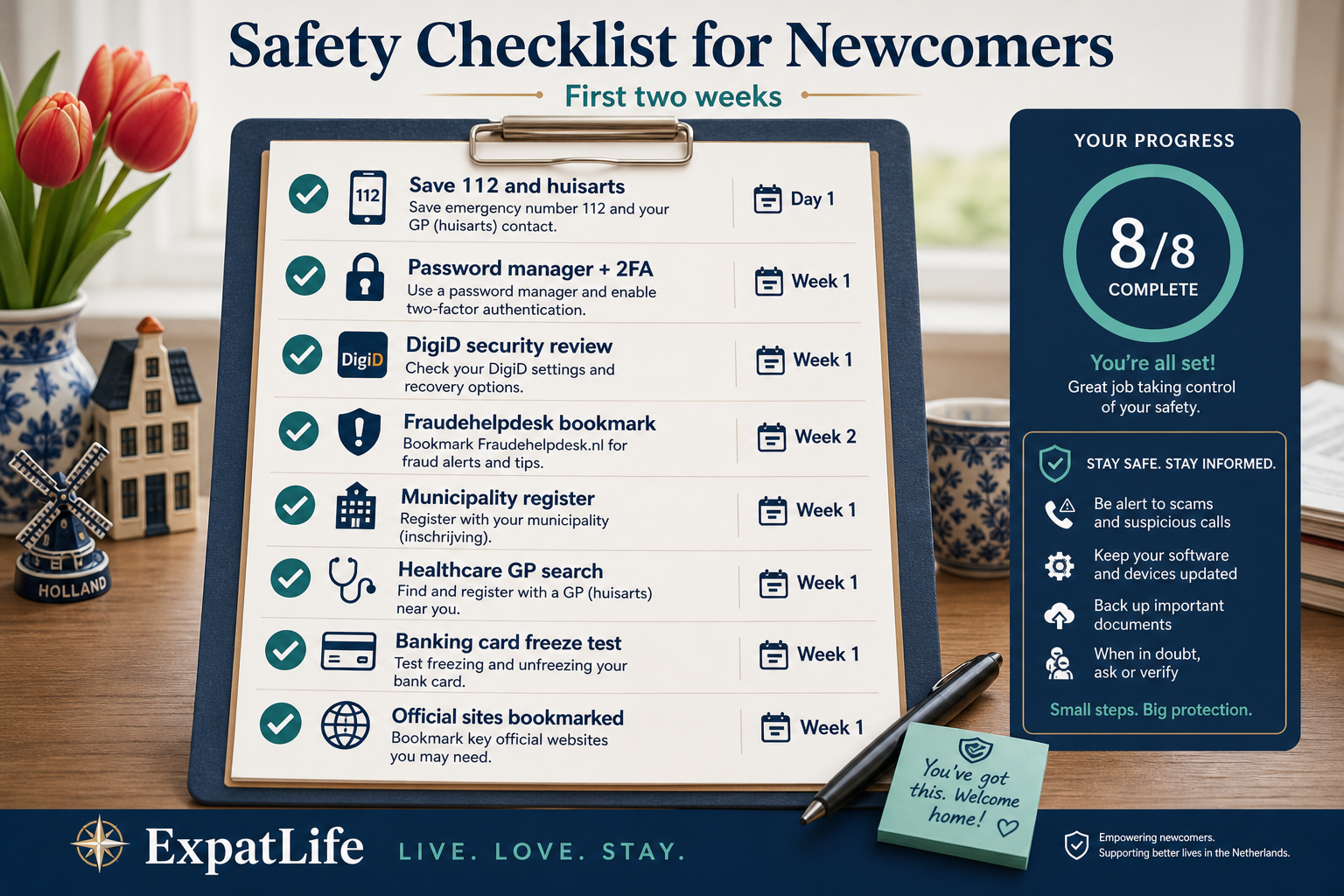
Arrival day
112 + address
Save Dutch-format address in phone contacts
Week 1
2FA + passwords
Email, banking and cloud storage
Week 1–2
DigiD security
Activate and review authorisations
Month 1
Scam alerts
Fraudehelpdesk plus card freeze test
First-week safety checklist
Expats often increase fraud risk through rushed housing payments, weak passwords and unverified links — these patterns are easy to avoid with planning.
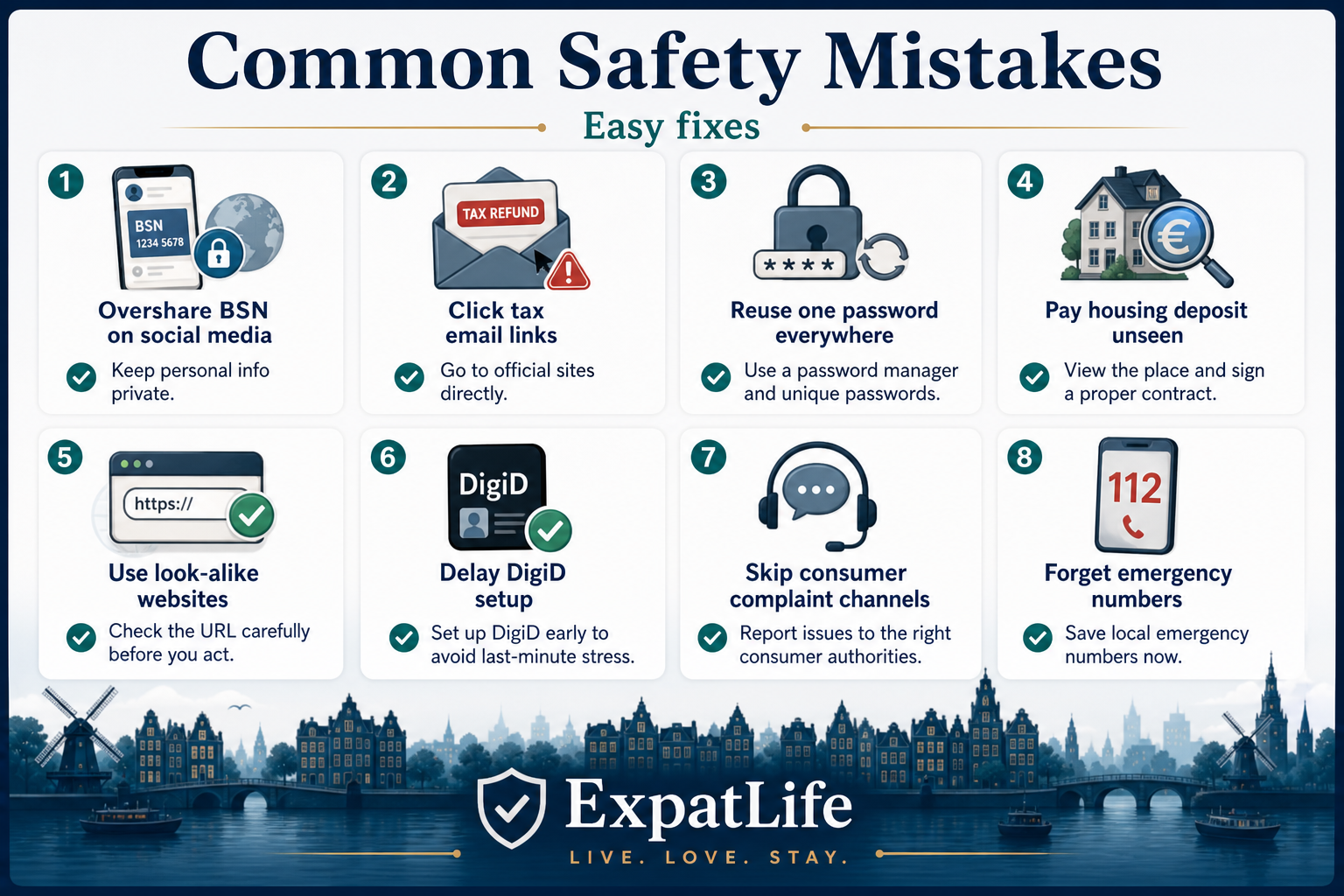
Posting BSN, passport or address details on social media or unverified forms.
Clicking tax or visa links without checking the URL.
Reusing one password across email, banking and shopping accounts.
Paying deposits before viewing or signing a contract.
Using look-alike domains for taxes, IND or banking.
Leaving weak recovery options after activation.
Not using ConsuWijzer or ACM when disputes arise.
Searching for numbers during an urgent situation.
Quick fixes for each mistake pattern
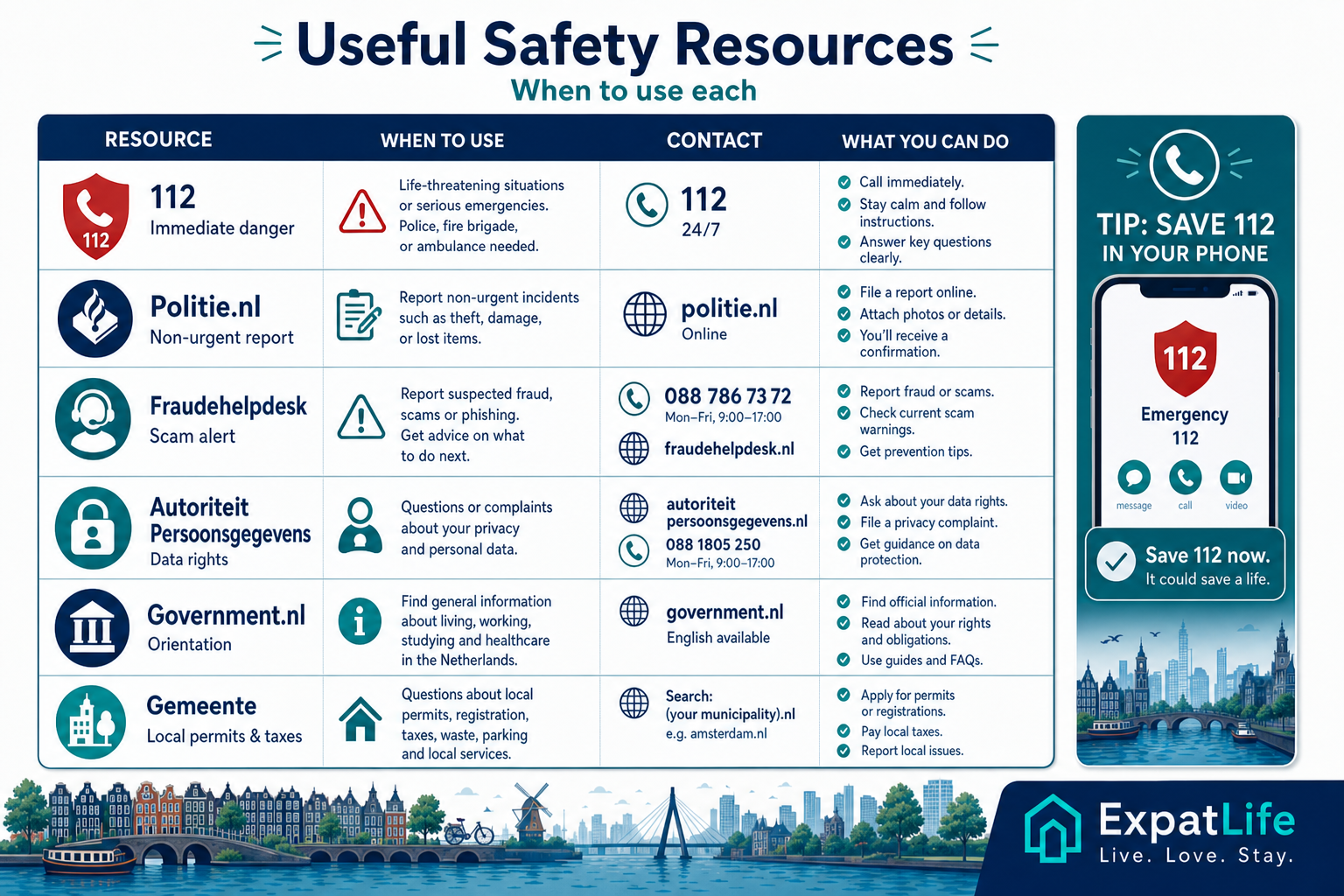
Bookmark these channels for emergencies, fraud reporting, data protection questions and calm government orientation.
Practical tasks
| Task | How to do it | When |
|---|---|---|
| Life-threatening emergency | 112 | Police, fire or ambulance — stay on the line |
| Police non-emergency | 0900-8844 | Theft reports when no immediate danger |
| Scam reporting | fraudehelpdesk.nl | Phishing, fraud attempts and victim orientation |
| Data protection (AP) | autoriteitpersoonsgegevens.nl | GDPR rights — not for emergencies |
| Consumer disputes | consuwijzer.nl | Contract complaints and cooling-off questions |
| Market supervision (ACM) | acm.nl | Telecom, energy and unfair commercial practices |
Police, fire and ambulance for life-threatening emergencies
When to use
Immediate danger, serious injury or crime in progress
RijksoverheidCrime reports, lost property and safety information
When to use
Non-emergency reporting and safety guidance — 0900-8844 when not urgent
Politie.nlScam awareness, reporting and victim support orientation
When to use
Suspected phishing, payment fraud or identity scam
FraudehelpdeskDutch data protection authority
When to use
Questions about personal data handling and GDPR rights
Autoriteit PersoonsgegevensOfficial government portal for daily life topics
When to use
High-level orientation on rights, services and consumer topics
Government.nlLocal registration, permits and neighbourhood information
When to use
Address registration, local taxes and non-emergency local issues
Find your gemeenteConsumer information and dispute orientation
When to use
Contract disputes, cooling-off questions and complaint escalation
ConsuWijzerAuthority for Consumers and Markets
When to use
Telecom, energy market issues and unfair commercial practices
ACMFAQ
Answers to common questions about emergency numbers, fraud reporting, DigiD protection and consumer rights in the Netherlands.
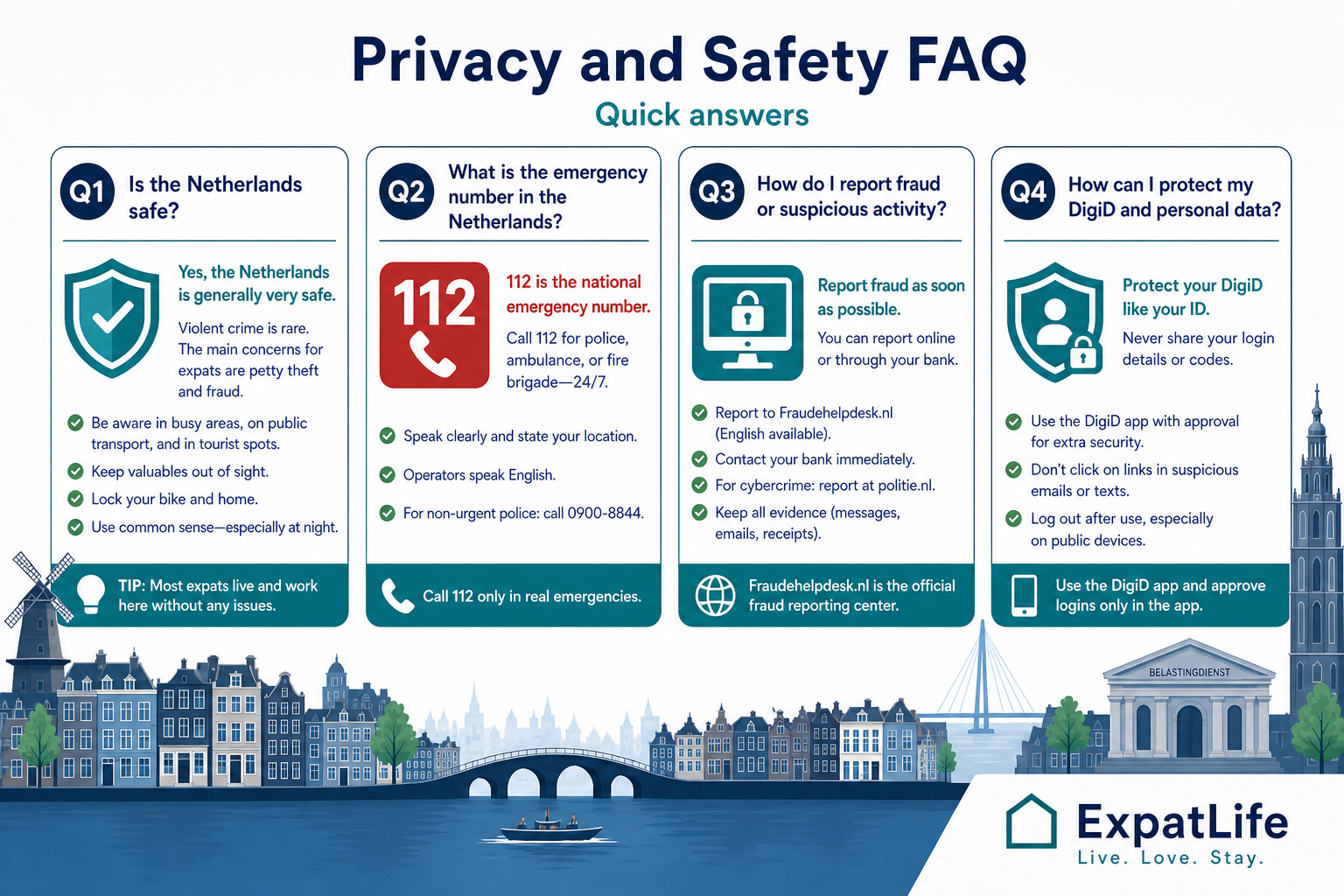
Generally yes for everyday life. Violent crime rates are relatively low. Focus on bike theft prevention, urban awareness and digital fraud — the same practical habits as in most Western European countries.
112 for life-threatening emergencies. For police without immediate danger call 0900-8844. For urgent medical advice when not life-threatening, contact your huisarts or local urgent care service.
Report scams to Fraudehelpdesk and your bank immediately if money moved. File police reports online at politie.nl for theft or fraud documentation, especially if you need records for insurance.
Phishing pretending to be government or banks, fake rental listings, marketplace payment tricks, WhatsApp Tikkie scams and job offers requesting upfront fees or passport copies.
Activate only via official channels, use the app approval model, never share codes with callers, enable phone security and review authorised organisations periodically.
EU GDPR applies. You can often access, correct or request deletion of personal data and ask organisations why data is processed. Autoriteit Persoonsgegevens oversees compliance.
ConsuWijzer helps with disputes and contract questions. ACM supervises regulated markets. Keep contracts and emails as evidence when escalating complaints.
Call 112, state location and nature of emergency, follow operator instructions. If safe, help others and meet responders at an agreed point. For non-urgent police matters use 0900-8844.
Starting points for safety information, emergency orientation, fraud alerts and privacy rights in the Netherlands.
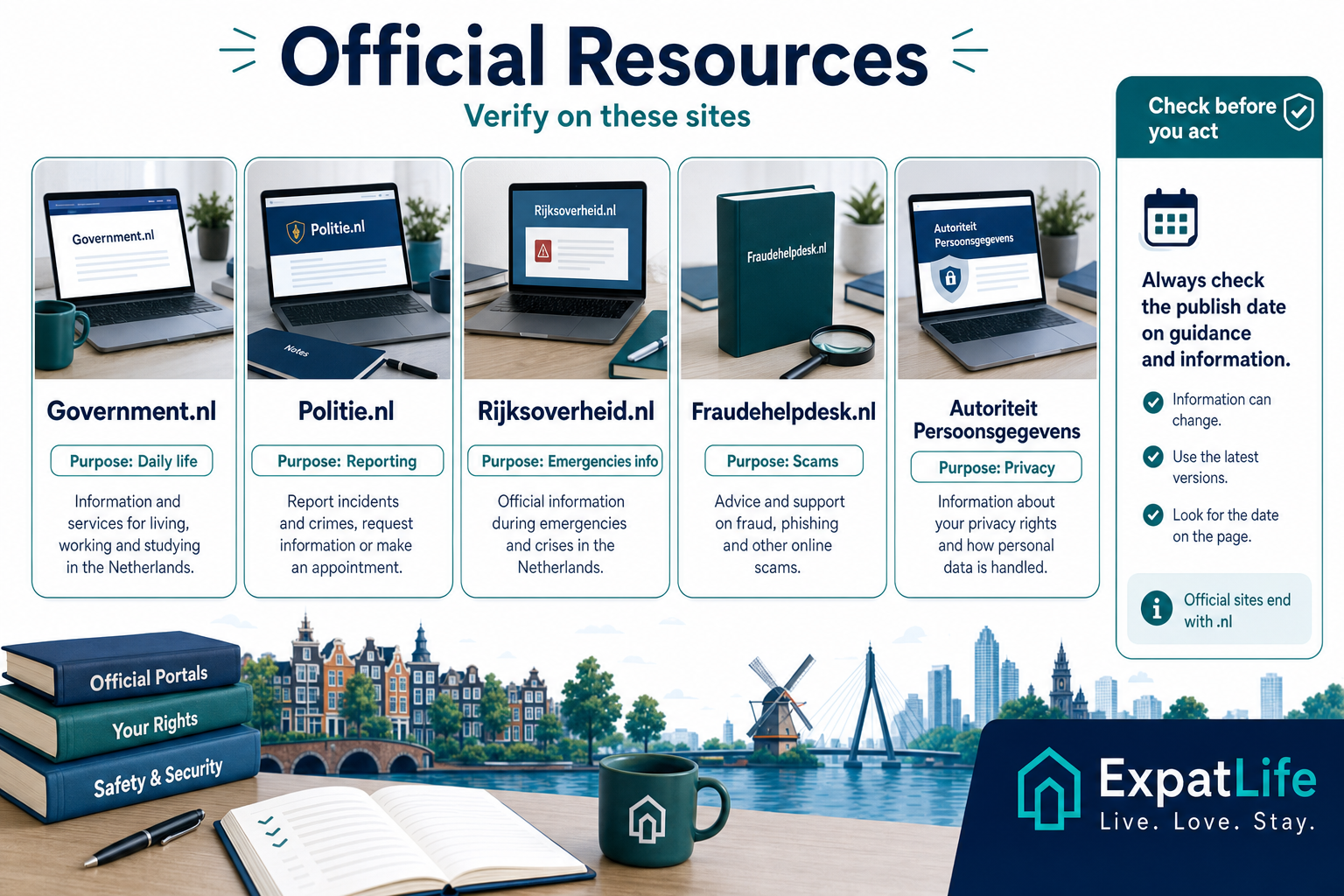
How to use these resources
Safety information, emergency procedures and privacy regulations can change. Always verify details through official sources before acting.
Continue into DigiD, government portals, housing and banking guides to complete your practical setup.
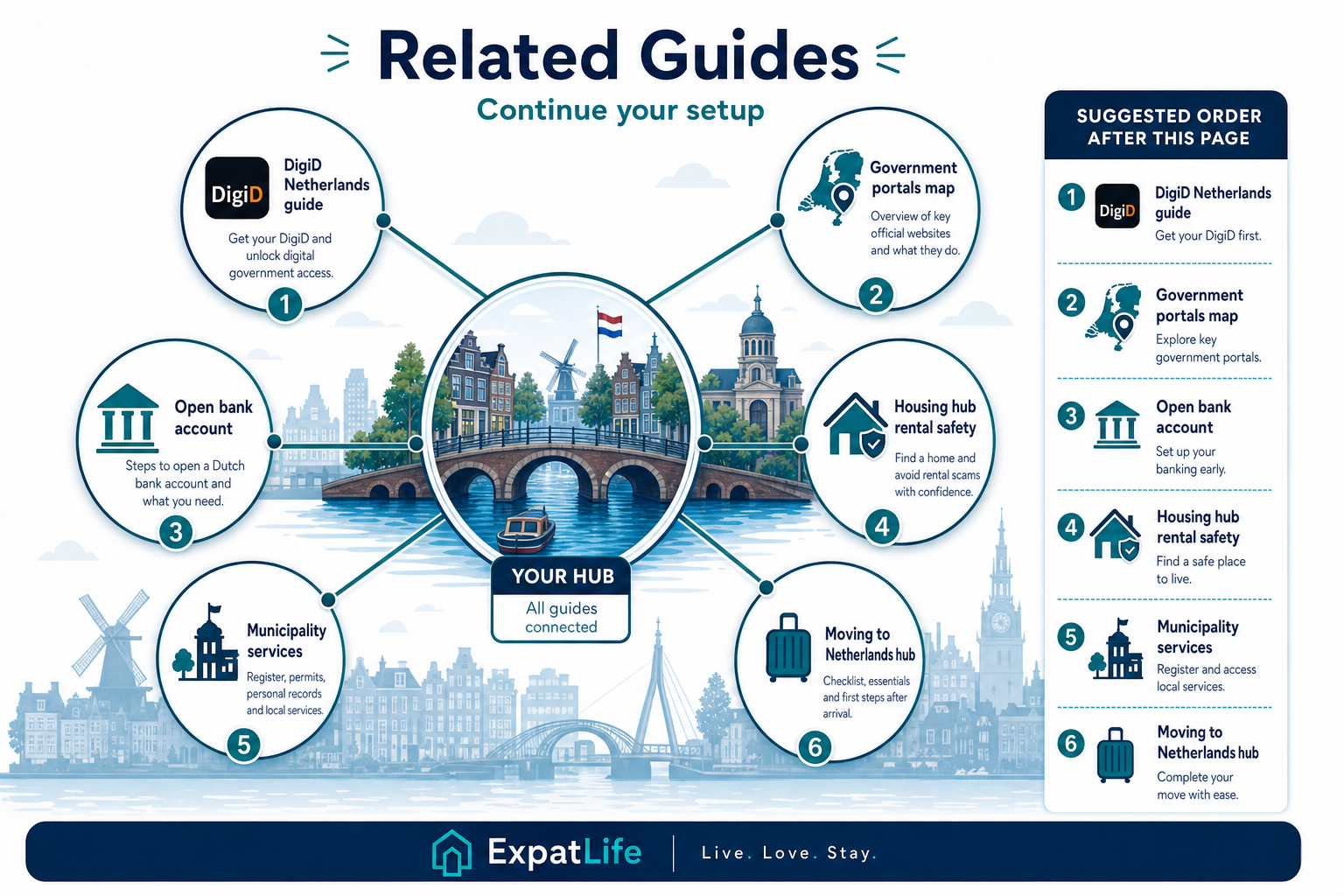
Explore next
Pick the next guide that matches your current priority — DigiD security, government portals, housing or banking.