Digital identity system
A national login layer for official online services — not a physical ID card.
Practical life guide
Understand how DigiD works, why it is important and how it helps residents access healthcare, taxes, municipalities and government services online.
Practical orientation only — not identity verification advice. Never share DigiD codes, passwords or activation letters. Always apply and activate through official channels such as DigiD.nl.
Quick answer
DigiD is the Netherlands' digital identity system for secure online access to many public services.
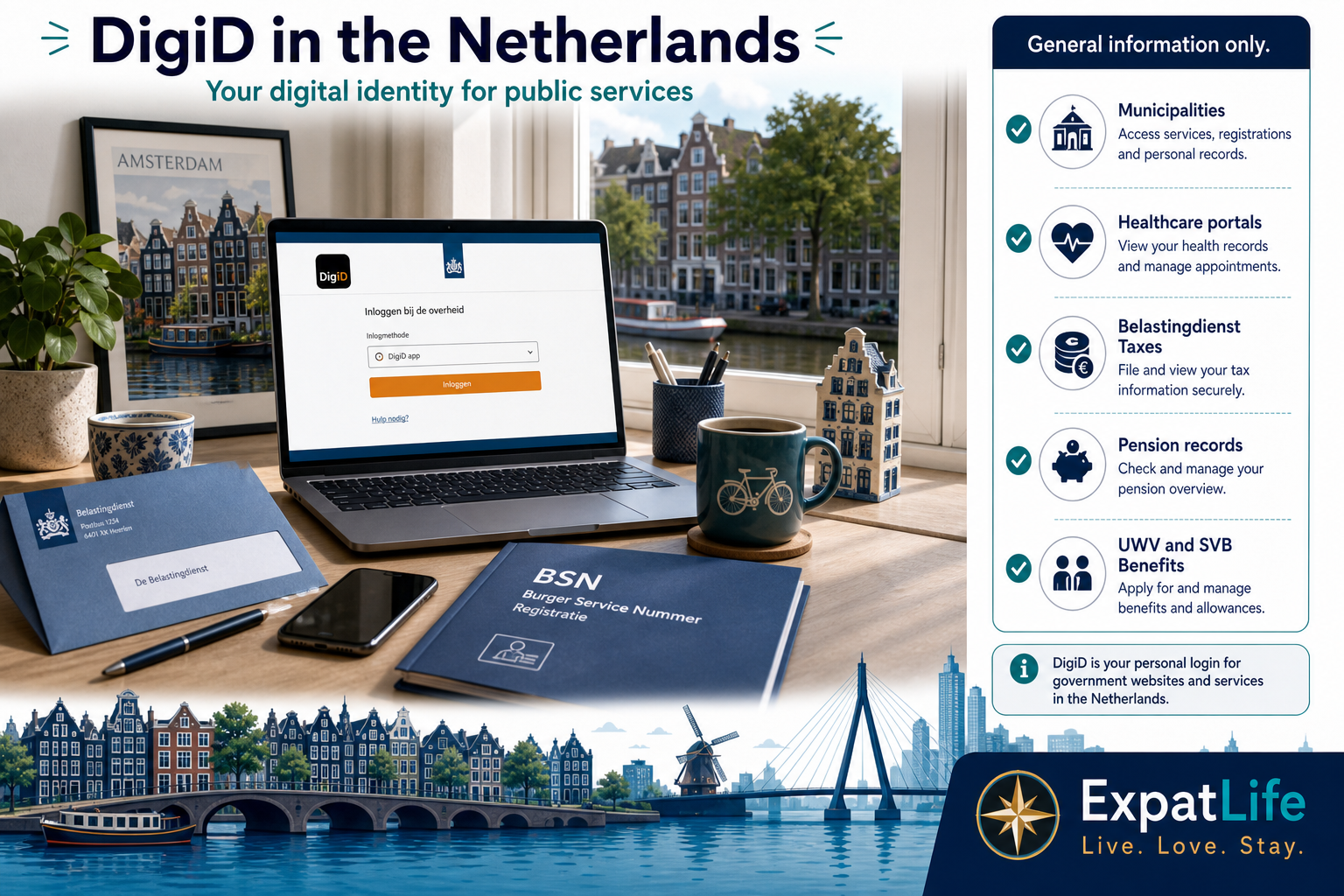
Residents use it to log in to portals for municipalities, healthcare administration, tax authorities, pension systems and other government agencies.
For many people living in the Netherlands, DigiD becomes one of the most important digital tools in everyday life.
You apply after gemeente registration and BSN context are in place — activation usually arrives by post to your registered home address.
At a glance
Six facts that explain why newcomers hear about DigiD within their first weeks in the Netherlands.
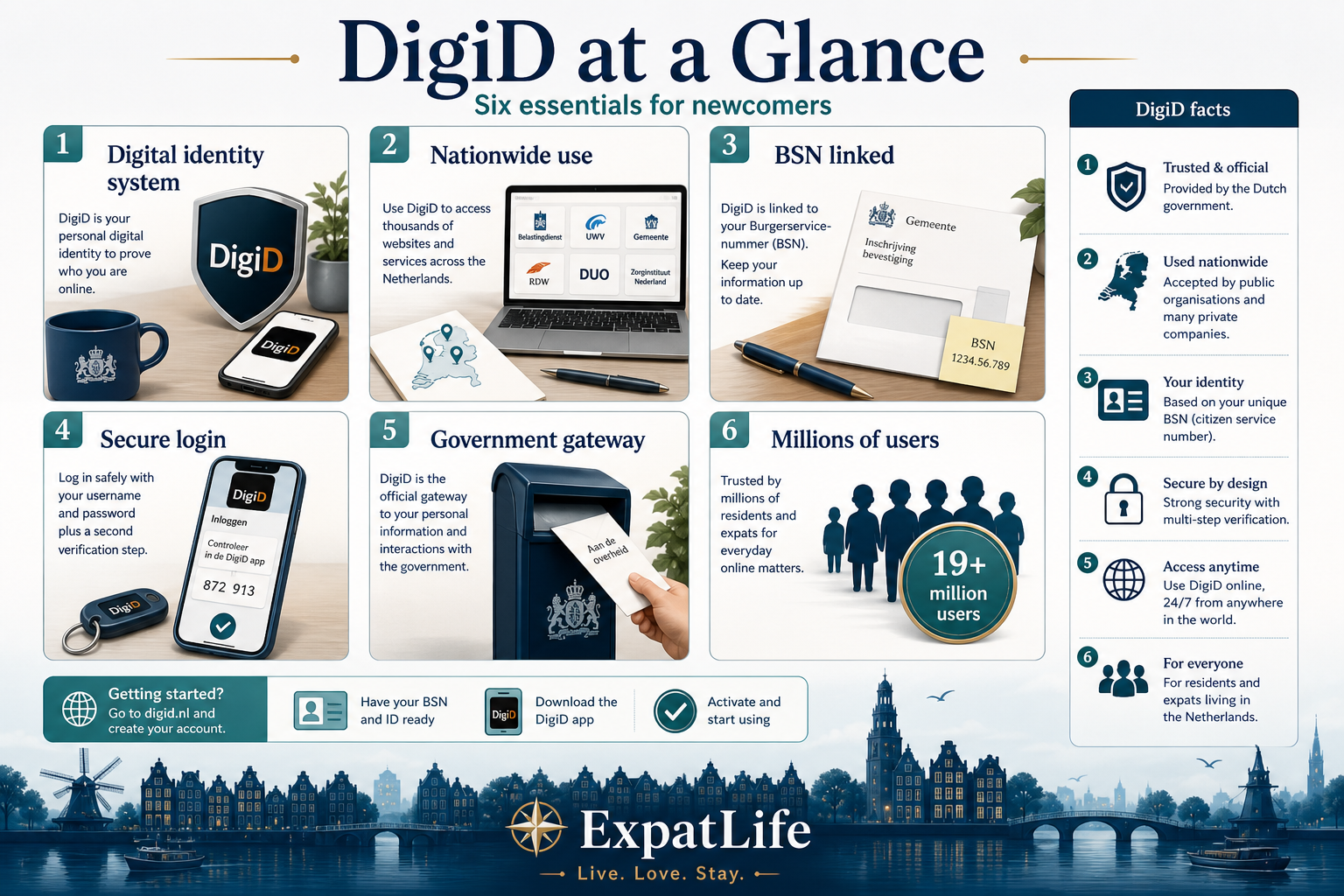
A national login layer for official online services — not a physical ID card.
Municipalities, tax offices, insurers and agencies across the Netherlands connect to DigiD.
Often the bridge between your registration data and online portals.
Personal registration and BSN context are part of typical application routes.
Password, app approval and additional verification protect access.
From tax letters to insurer portals — DigiD is mainstream Dutch digital life.
How to use this snapshot
First-week actions that speed up DigiD
Many Dutch online services require secure identification before you can view letters, submit forms or complete administrative tasks. Without a working DigiD, you may need slower paper routes or phone queues for the same information.
DigiD often acts as the gateway to taxes, healthcare administration, municipalities, pension information and official government communication. Newcomers usually encounter it within the first weeks after registration.
Understanding DigiD early helps you sequence BSN registration, post delivery and urgent deadlines — especially during tax season, healthcare setup and municipality appointments.
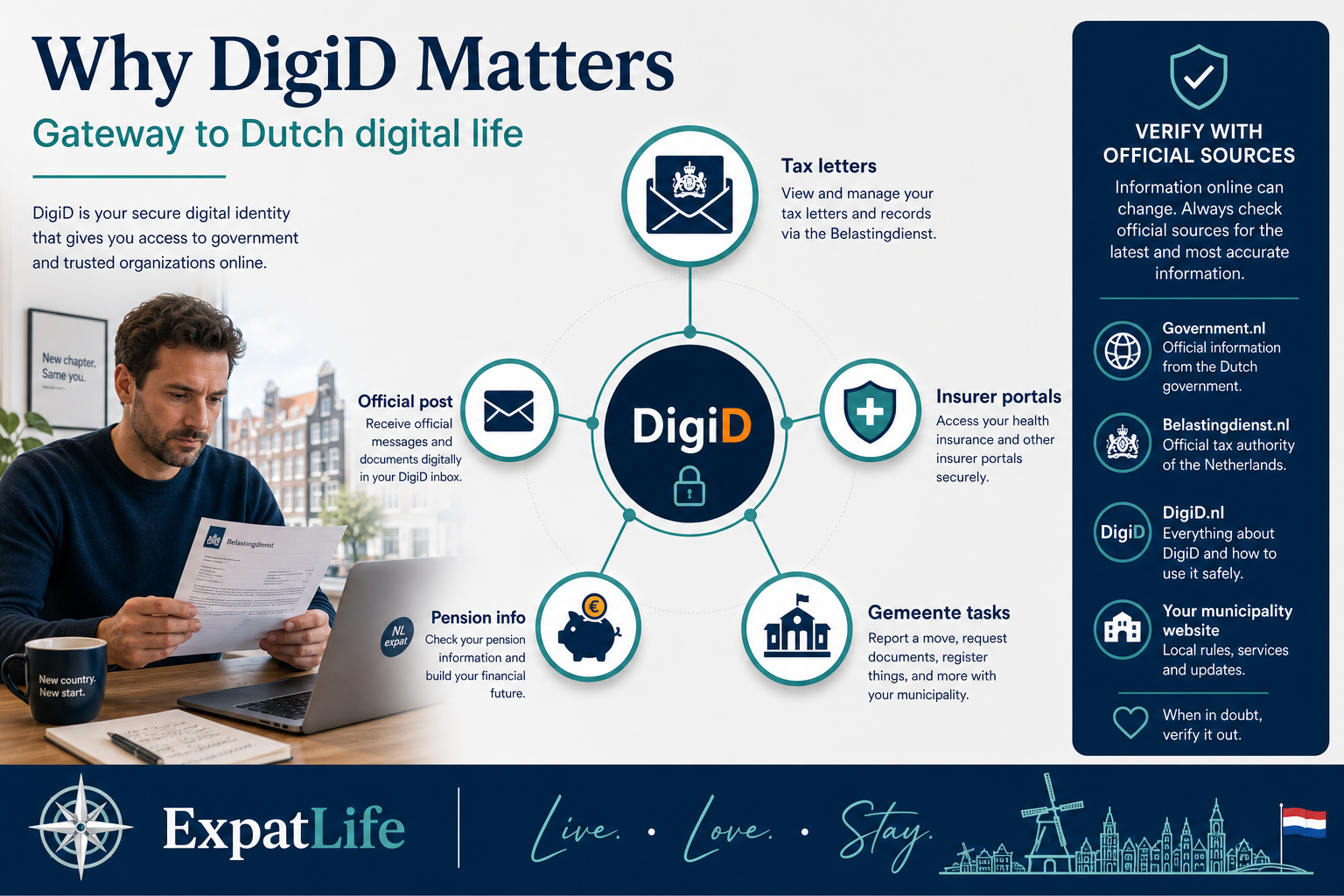
Belastingdienst letters and online tax information frequently route through DigiD-enabled portals.
Insurer portals and official healthcare correspondence often expect DigiD login.
Address changes, permits and local registrations increasingly start online.
Long-term residents access UWV, SVB and pension records through secure login.
Government messages and digital services reduce reliance on paper-only workflows.
Examples
| Profile | Situation | What to do |
|---|---|---|
| New hire with Dutch employer | First payroll month and insurer enrollment letters arrive | Activate DigiD before month two so insurer and tax portals are ready when letters reference online access. |
| Student with municipal registration | Student finance or gemeente student services open online | Each adult applies individually — parent DigiD cannot access student portals on your behalf. |
| Family relocating together | Multiple adults need tax, insurer and gemeente access | Plan separate applications and post delivery for each adult at the registered address. |
| Remote worker settling in NL | Cross-border tax questions plus Dutch correspondence | DigiD unlocks Dutch portals only — cross-border tax advice may still need a specialist. |
Many residents can obtain DigiD after completing the necessary registration processes with a Dutch municipality. Eligibility and verification steps are defined by DigiD and official government sources — this section orients you, not replaces official rules.
Workers, students, families and long-term residents commonly apply once they have a registered address and BSN context. Immigration permit type alone does not replace the registration and identity steps DigiD relies on.
Always confirm current application requirements on DigiD.nl before you apply. Do not use unofficial intermediaries that ask for your credentials.
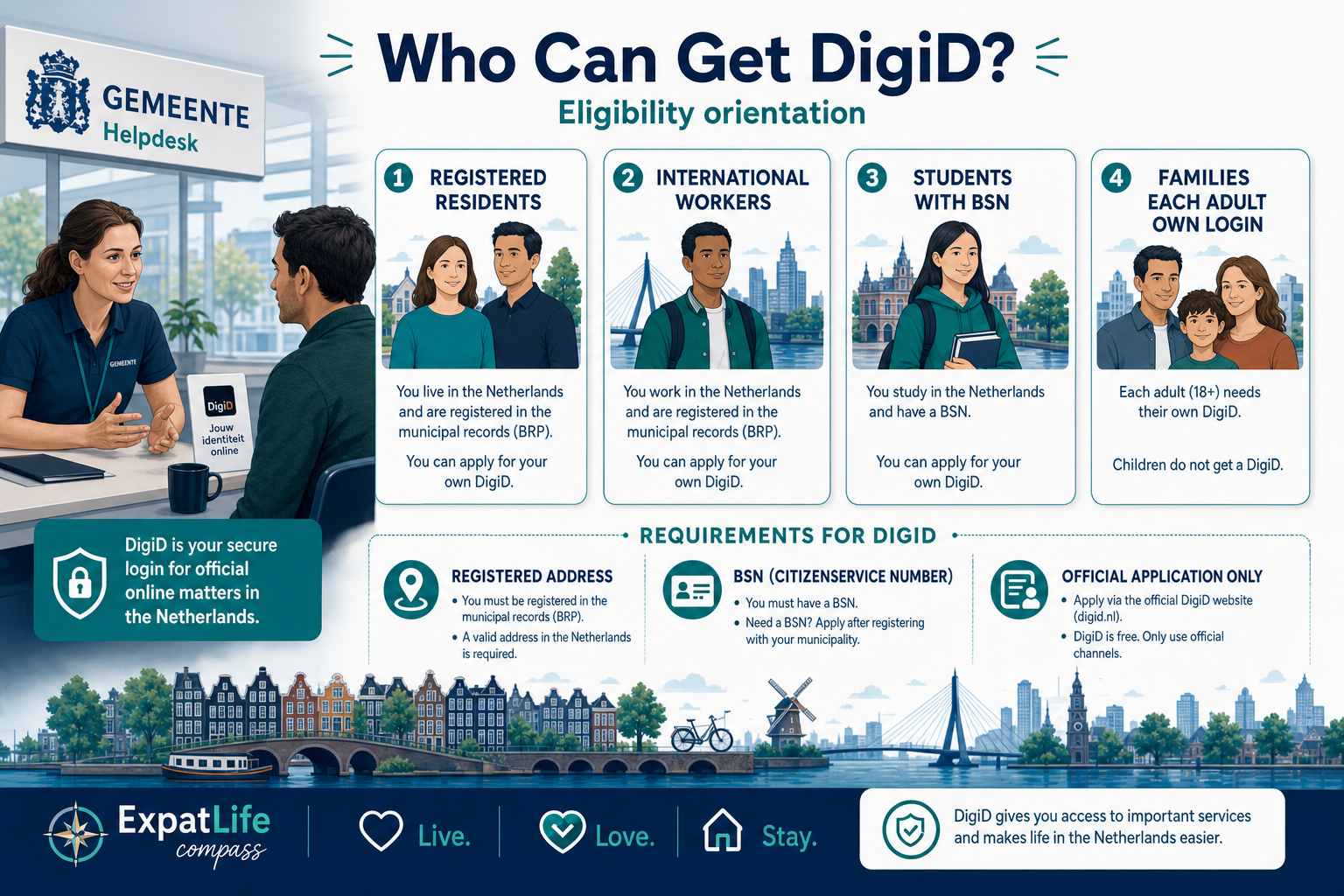
People with a registered Dutch home address are the core user group.
After BSN and registration, many expats follow the same application route as Dutch residents.
Students with municipal registration and BSN often apply for student finance and gemeente portals.
Each adult usually needs their own DigiD — children do not share parent logins.
Check DigiD.nl for current eligibility, ID checks and activation rules.
Examples
| Profile | Situation | What to do |
|---|---|---|
| EU citizen after gemeente appointment | Address registered and BSN issued or confirmed | Apply via DigiD.nl when post reaches your home — verify current ID check rules on the official site. |
| Non-EU worker with residence permit | Permit valid and address registered at gemeente | Registration and BSN matter more than permit type alone — confirm data matches your ID before applying. |
| Partner without own employment yet | Registered at same address as working partner | If you have BSN and registration, you typically apply separately — do not use a partner's login. |
| Short-stay without registration | Tourist or guest stay without BR registration | DigiD usually requires registered residence — complete gemeente registration first or verify exceptions on DigiD.nl. |
| Dutch national returning from abroad | Re-registering address after years abroad | Update gemeente registration first; old DigiD may need reset — follow return-resident guidance on official sites. |
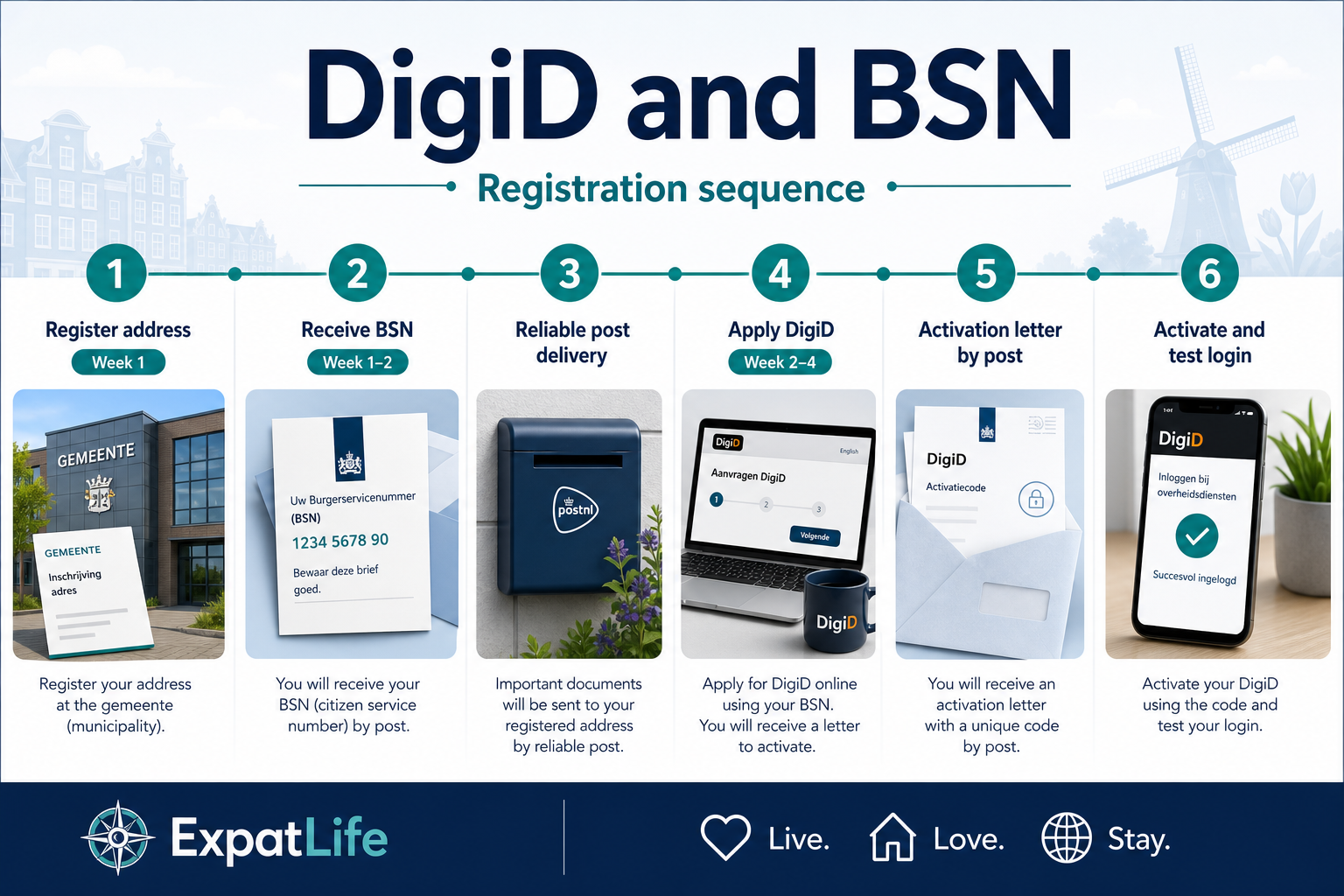
For most newcomers, the practical sequence starts with address registration at the gemeente. During or after that process, you typically receive or confirm your BSN (Burgerservicenummer) — the personal identification number used across Dutch administration.
DigiD applications generally require that your personal data and registered address are in order. Activation codes are usually sent by post to your registered home address, which is why reliable post delivery matters in your first weeks.
If your address or household composition changes, update your gemeente registration promptly so DigiD and other services stay aligned with official records.
Prerequisites
These four checks mirror what the infographic sequence shows — registration and post matter as much as the application itself.
Registered address
Gemeente BR
Post must reach your home for activation letters
BSN context
On official records
Employer and insurer data align with registration
Identity match
Name & DOB
Application data must match gemeente and ID documents
Reliable post
2–4 weeks
Plan for letter delivery before urgent portal deadlines
Typical sequence from registration to first login
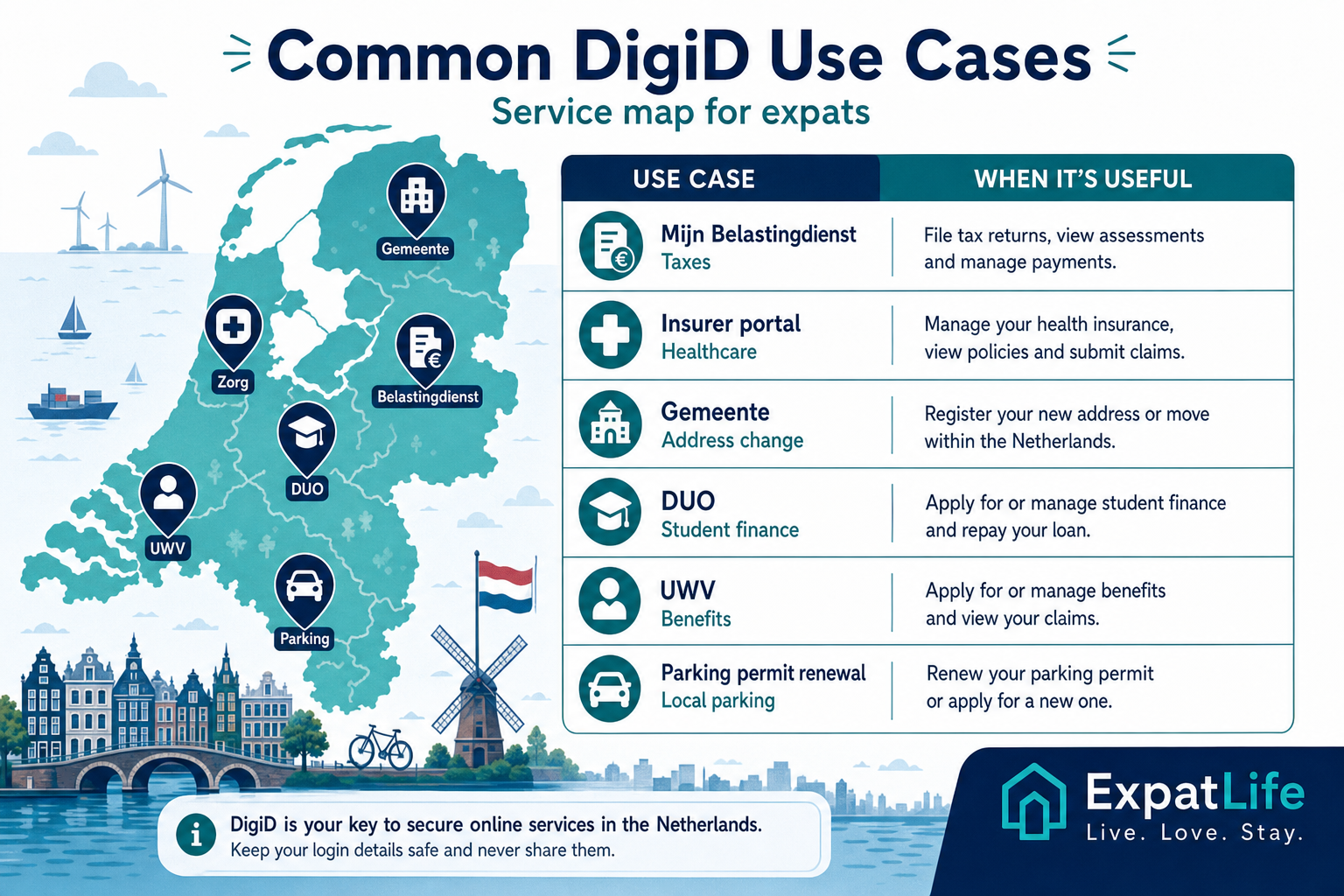
DigiD is not tied to a single department — it is reused across many parts of Dutch public life. The cards below show the areas newcomers most often encounter during the first year.
Examples
| Service | Example portal | When DigiD helps |
|---|---|---|
| Tax assessment letter | Mijn Belastingdienst | Read provisional assessments and respond before payment deadlines. |
| Health insurer portal | Insurer self-service site | View policy letters, premium details and annual statements online. |
| Address change | Gemeente online desk | Report an internal move so post and records stay accurate. |
| Student finance | DUO-style student portal | Students with BSN and registration may manage finance correspondence. |
| Parking permit renewal | Municipal parking portal | Renew resident permits where the city offers online renewal. |
| Benefit correspondence | UWV or SVB portal | Access employment or social insurance letters securely online. |
Tax assessments, correspondence and some allowance interactions via Belastingdienst portals.
Insurer portals, healthcare letters and administration tied to Dutch health insurance.
Address changes, permits, local taxes and resident service desks online.
Pension overview portals and employment-related pension correspondence.
Student finance and some education portals for registered students.
Social security and benefit correspondence through official agency sites.
Some RDW and mobility-related online services use DigiD where applicable.
Official letters and digital service access across ministries and agencies.
DigiD is widely used in healthcare administration — not for clinical care itself, but for portals and official correspondence connected to Dutch health insurance and healthcare providers.
Examples include insurer self-service portals, viewing policy letters, and some healthcare administration workflows. GP registration and choosing a huisarts remain separate steps from DigiD setup.
Pair DigiD activation with mandatory health insurance registration and GP enrollment so your digital and clinical access align with your first months in the Netherlands.
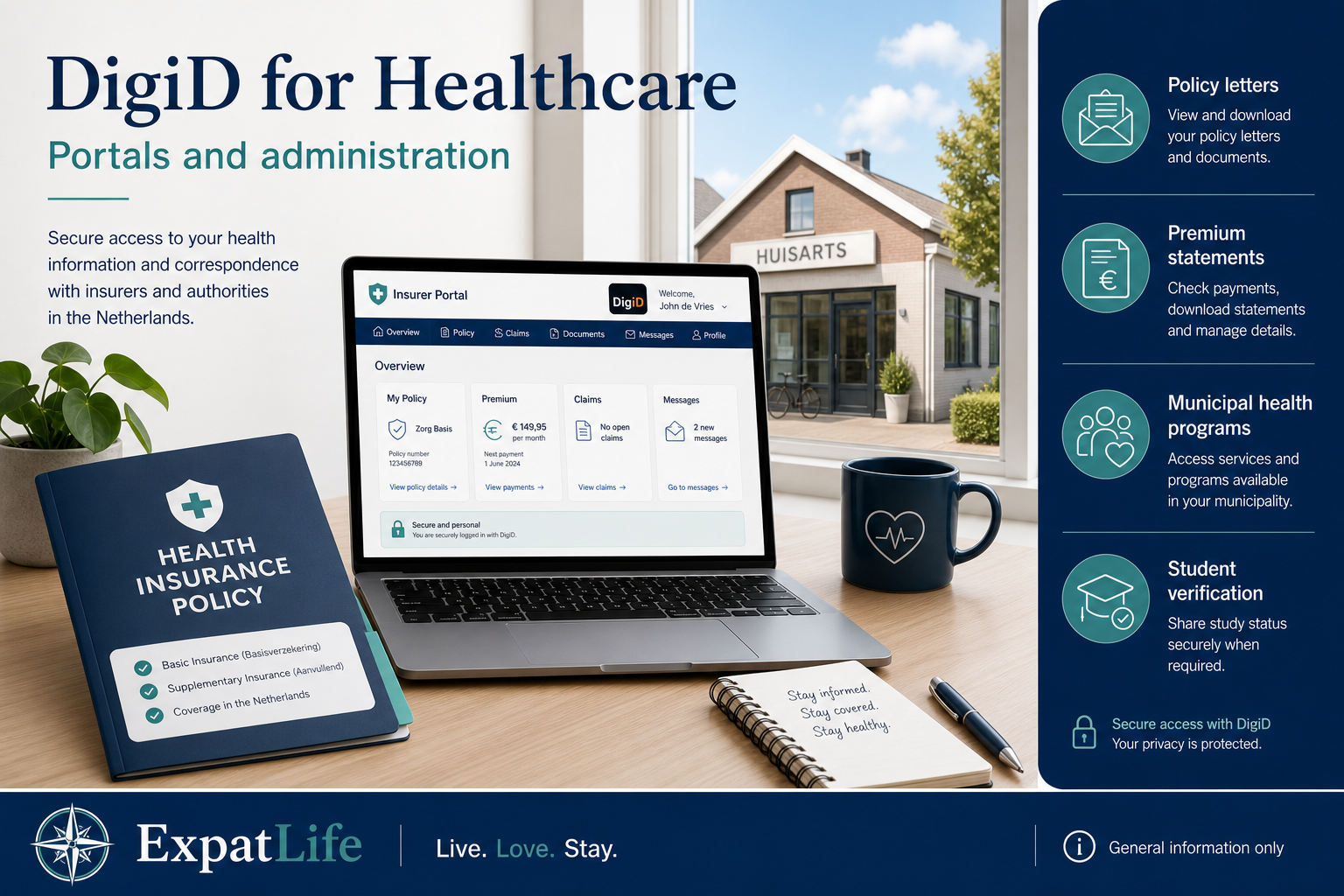
Portal tasks
| Task | Portal | Typical timing |
|---|---|---|
| Download annual policy statement | Insurer self-service site | After first premium month — often January for annual summaries |
| Read insurer letter about coverage change | Insurer portal or Berichtenbox-style messaging | When switching insurers or adding family members |
| Confirm deductible (eigen risico) details | Insurer portal | First quarter after registration — before GP-heavy year |
| Access municipal health program info | Gemeente site (varies by city) | When enrolling in local prevention or integration programs |
Healthcare setup tips alongside DigiD
Residents often use DigiD for Belastingdienst portals — viewing tax assessments, reading official correspondence and completing filing workflows where online submission applies.
DigiD does not replace understanding your tax situation. Expats with cross-border income may still need professional advice even with a working DigiD login.
Set up DigiD before your first tax letter season so you can respond to deadlines without postal delays.
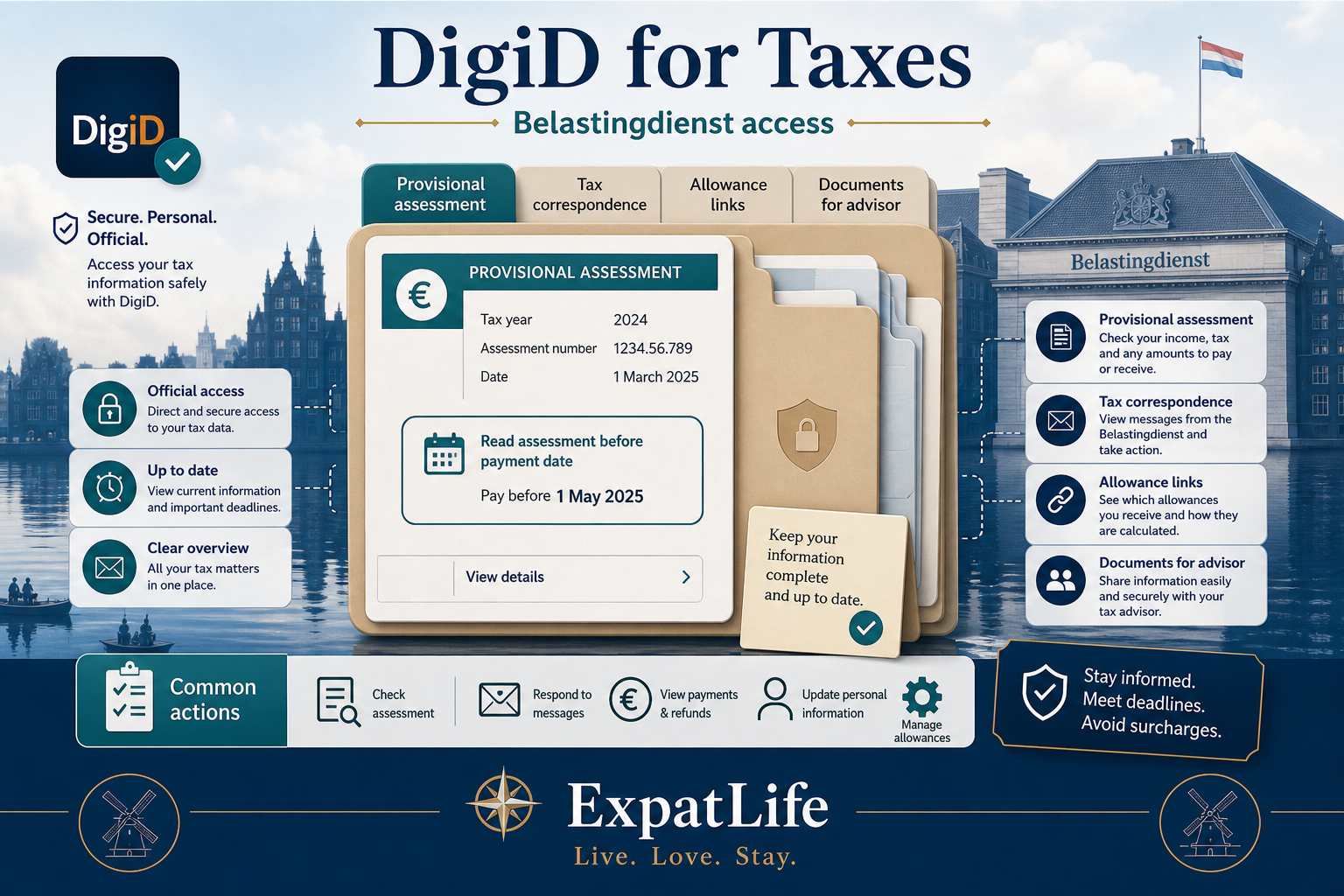
Portal tasks
| Task | Portal | Typical timing |
|---|---|---|
| Read provisional tax assessment | Mijn Belastingdienst | Often spring — respond before payment or objection deadlines |
| Download annual income statement for employer | Mijn Belastingdienst | After year-end — useful for mortgage or cross-border filings |
| Check toeslagen / allowance correspondence | Belastingdienst-related portals | When household or income changes mid-year |
| Share documents with tax advisor | Official tax download area | Before advisor filing deadline — export PDFs securely |
Tax season tips with active DigiD
Municipalities increasingly offer online services for residents — from address change notifications to permit requests and local tax portals. DigiD is often the login layer for these gemeente websites.
Processes differ by city: Amsterdam, Rotterdam, Utrecht and The Hague each publish their own portals and English support levels. Bookmark your gemeente site early and verify which tasks require DigiD versus in-person visits.
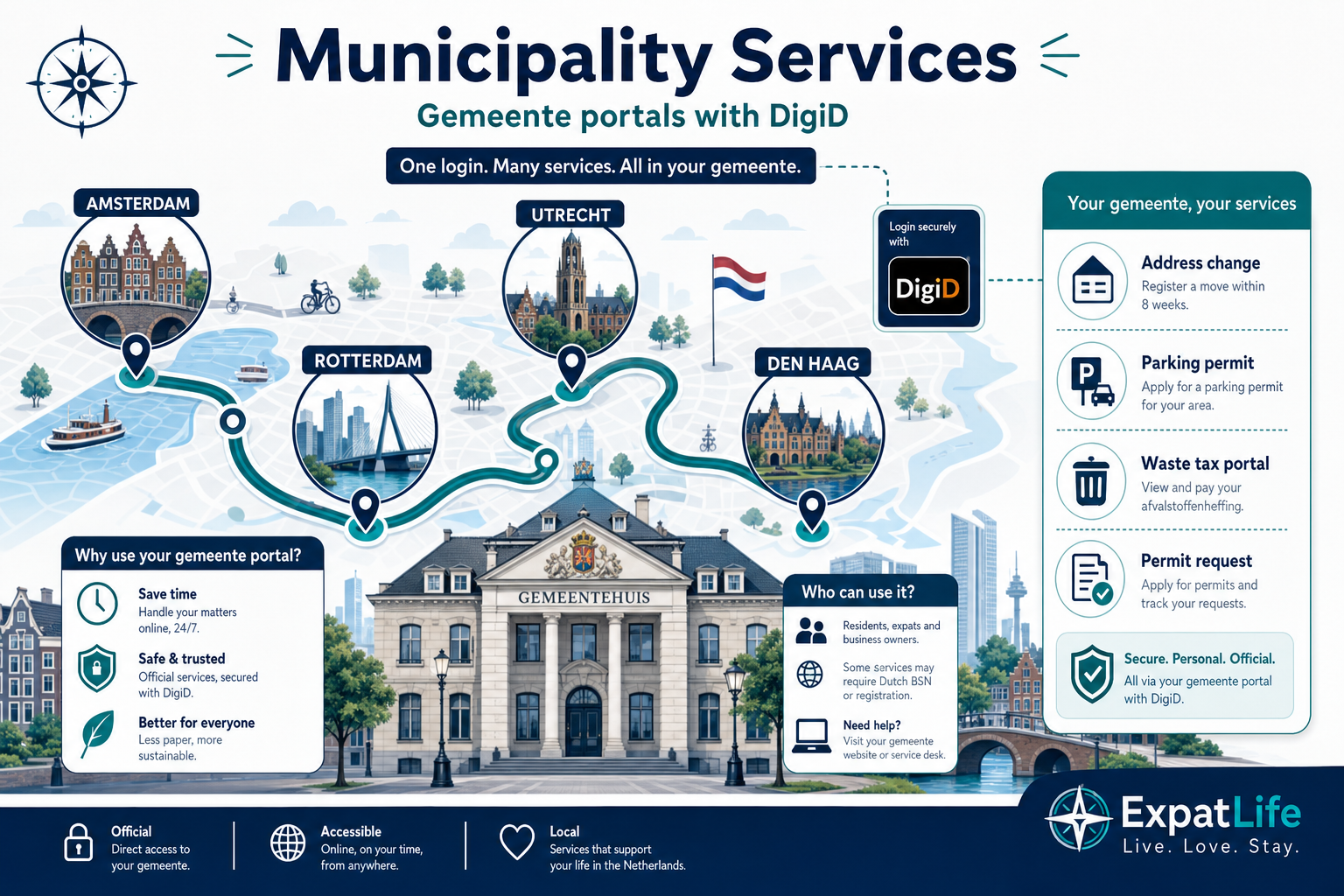
Portal tasks
| Task | Portal | Typical timing |
|---|---|---|
| Report internal move within same city | Gemeente online desk | Within official window after moving rooms or apartments |
| Renew resident parking permit | Municipal parking portal | Before permit expiry — many cities offer online renewal |
| View local waste or water tax levy | Gemeente or regional tax portal | When annual local tax letters arrive |
| Book integration or language program | City program portal | First months after registration — slots can be limited |
City notes for expat-heavy municipalities
Beyond first-month setup, DigiD remains important for pension information, social services and government benefits accessed through official agency portals.
UWV (employment and benefits), SVB (social insurance) and pension funds commonly use DigiD for secure access. Eligibility for benefits is separate from having a DigiD — the login only unlocks digital access to your records.
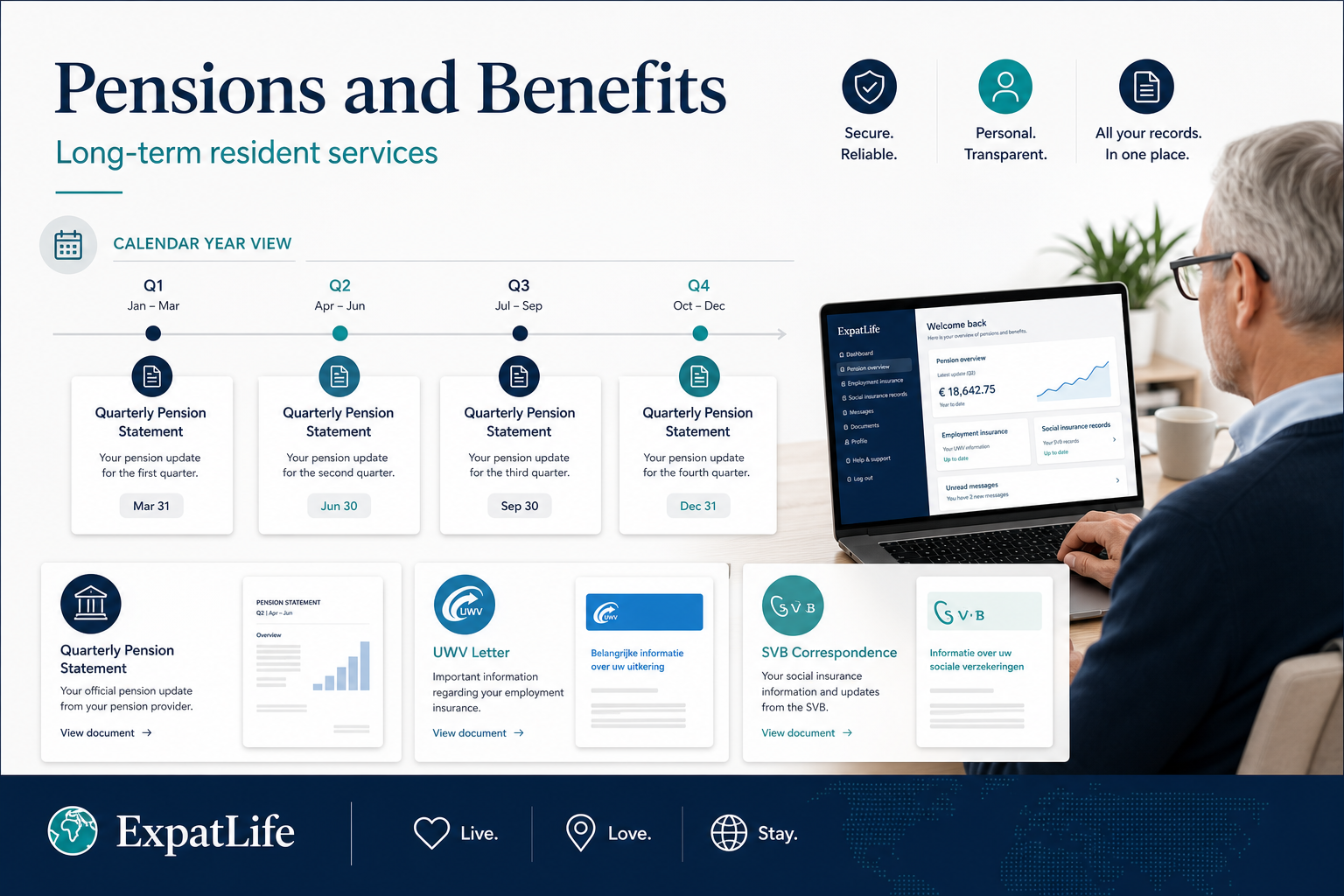
Long-term service examples
Examples
| Profile | Situation | What to do |
|---|---|---|
| Employed resident building pension | Annual pension overview letter references online portal | Use DigiD to view mijnpensioenoverzicht-style summaries — eligibility is separate from login access. |
| Between jobs | UWV correspondence about employment insurance | DigiD unlocks letters online; benefit eligibility follows UWV rules, not DigiD status alone. |
| Parent receiving child-related benefits | SVB or toeslagen letters about household changes | Keep address and household data updated at gemeente — portals reflect official records. |
| Long-term resident nearing retirement | Multiple pension funds and government letters | Secure DigiD early; pension portals accumulate history over years. |
Conceptually, DigiD works as a secure login bridge between you and an official service. You choose DigiD on a government or public-sector website, authenticate with your credentials, and complete any additional verification step required for that session.
The DigiD mobile app can approve logins from your phone — reducing reliance on SMS codes in many flows. Higher-security transactions may ask for extra confirmation; follow only official prompts inside the app or website.
This guide does not provide step-by-step activation instructions that could be outdated — always follow the current process on DigiD.nl.
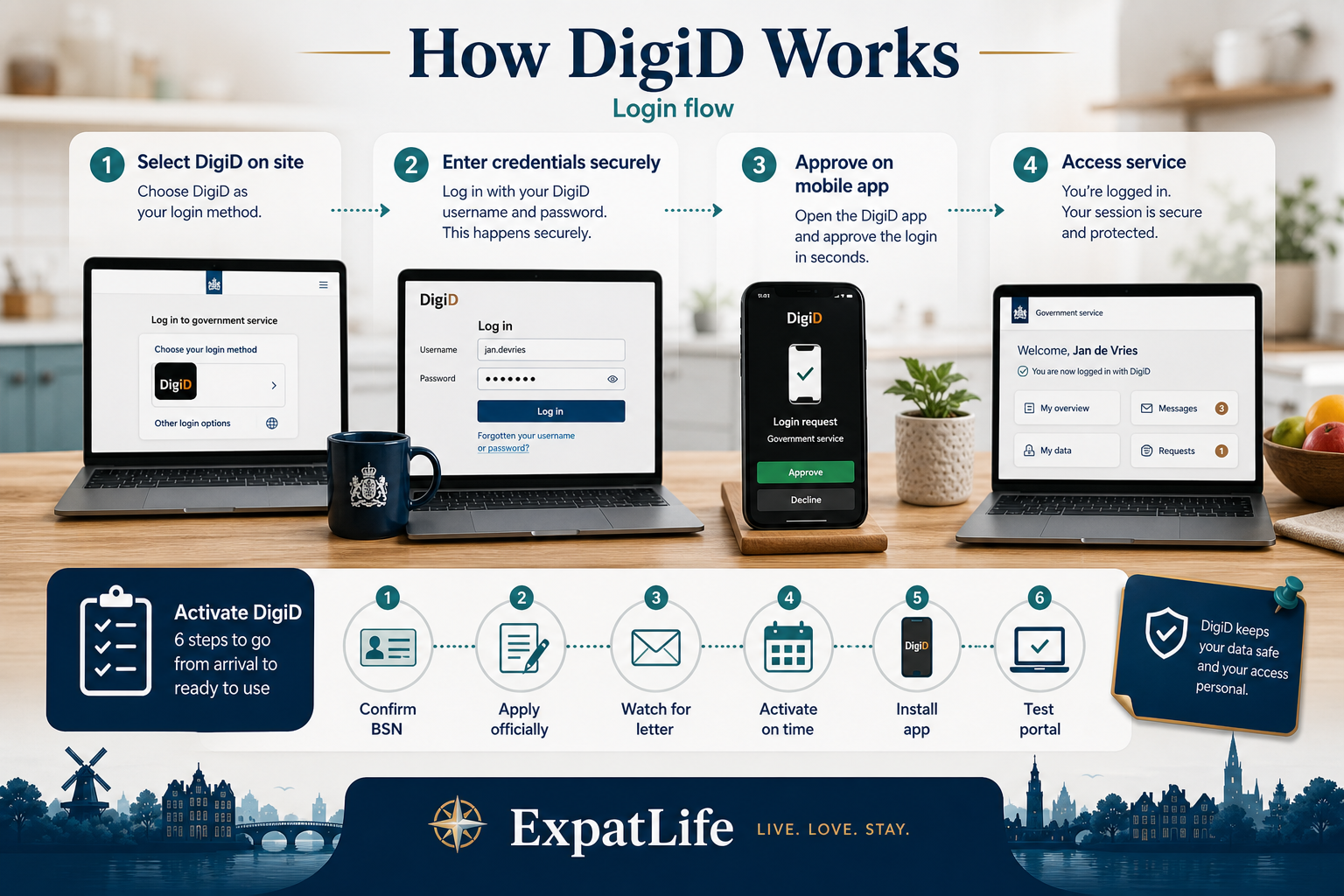
Select DigiD on official portals, then enter credentials on the secure DigiD login page.
Approve logins from the official DigiD app on your smartphone.
Some services require an extra confirmation step for sensitive data.
Never enter DigiD credentials on unofficial sites or third-party forms.
Before applying
DigiD applications rely on accurate gemeente registration and post delivery to your home.
Week 2–4
Use DigiD.nl only — follow the current application flow published there.
After applying
Official post to your registered address — note the activation deadline on the letter.
When letter arrives
Missing the window usually means reapplying and waiting for new post.
After activation
App approval simplifies logins on many portals — keep your phone secured.
First week active
Try a low-risk login (e.g. insurer or gemeente info page) before urgent deadlines.
Treat DigiD like online banking credentials. Phishing sites, shared passwords and lost phones are common risk factors. Official sources emphasize personal responsibility for device and password security.
If you suspect misuse, follow official DigiD guidance to block or reset access. Never share activation codes, passwords or app approvals with landlords, employers or unofficial “relocation helpers”.
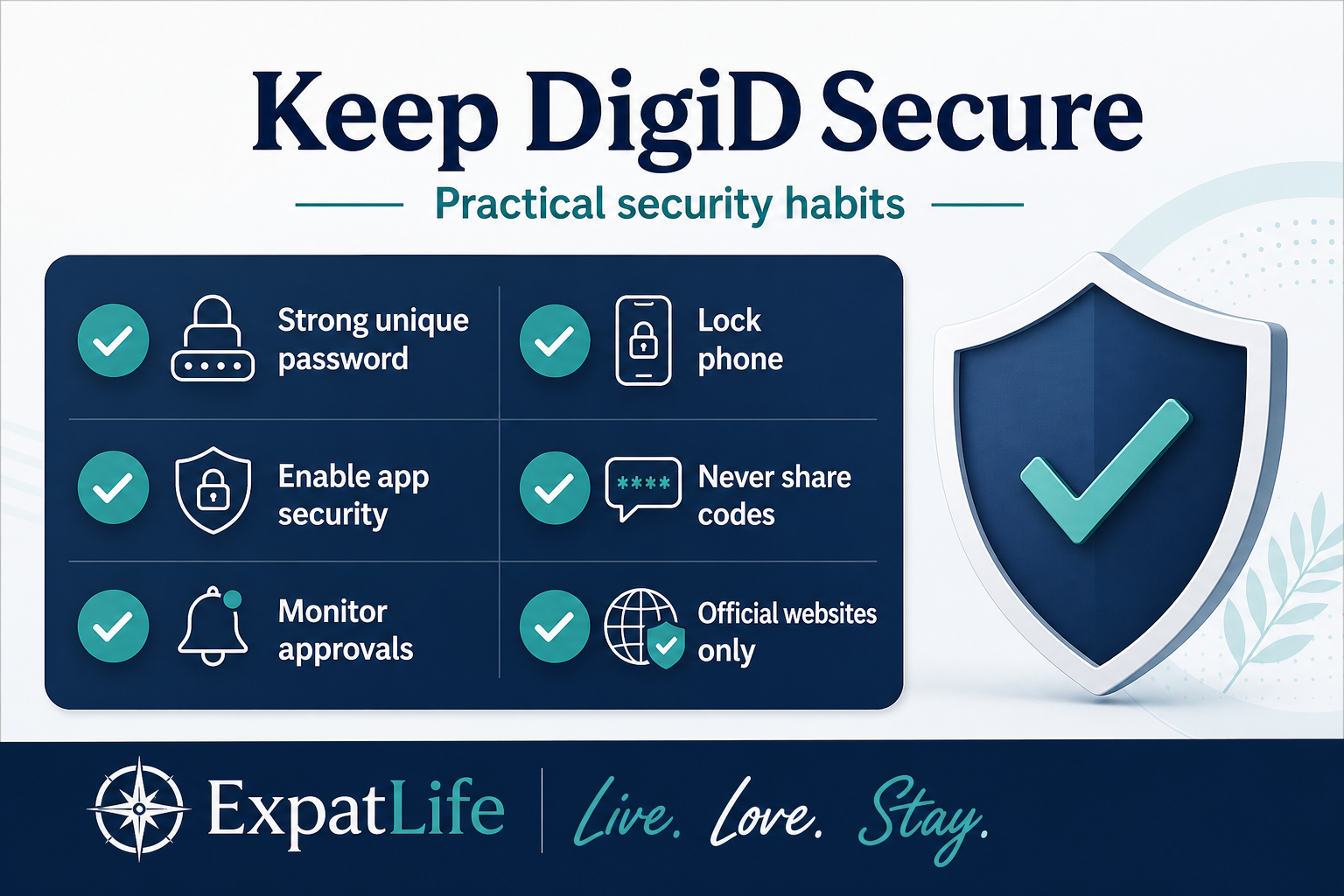
Unique passwords and a secure password manager reduce credential theft risk.
Lock your phone and laptop; DigiD app approval lives on your devices.
Use extra security features in the DigiD app when offered.
No legitimate service asks for your DigiD password by email or phone.
Review login approvals in the app and report suspicious prompts.
Type URLs manually or use bookmarks — beware of phishing links.
Red flags — stop and verify
If something looks wrong
Most expats follow a similar high-level sequence. Timing varies by city appointment availability, housing type and permit route — use this as a planning map, not a legal timeline.
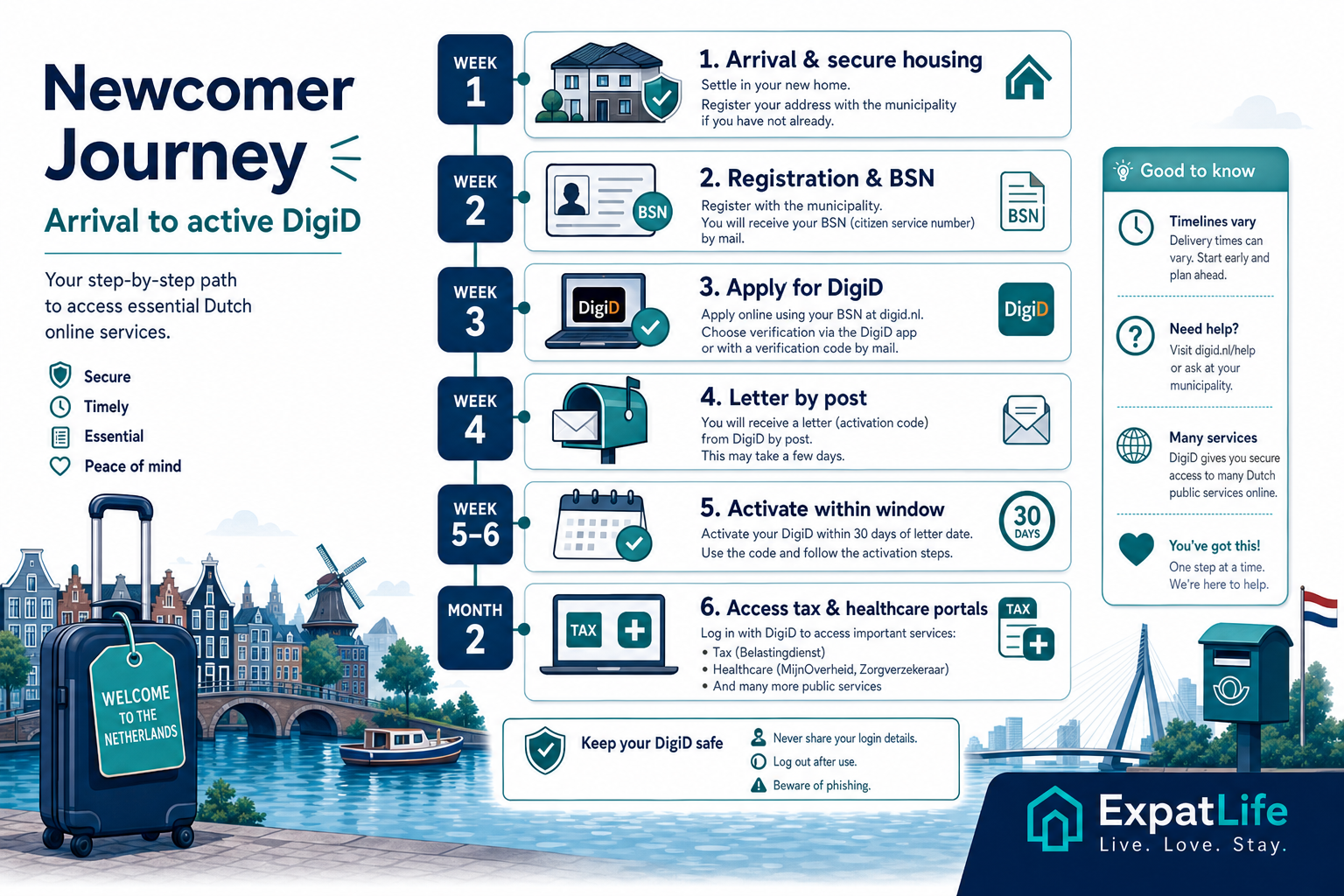
Arrival
Registration
DigiD application
Activation & access
These mistakes slow down newcomers most often. Avoiding them saves stress before tax deadlines, insurer letters and municipality tasks pile up.
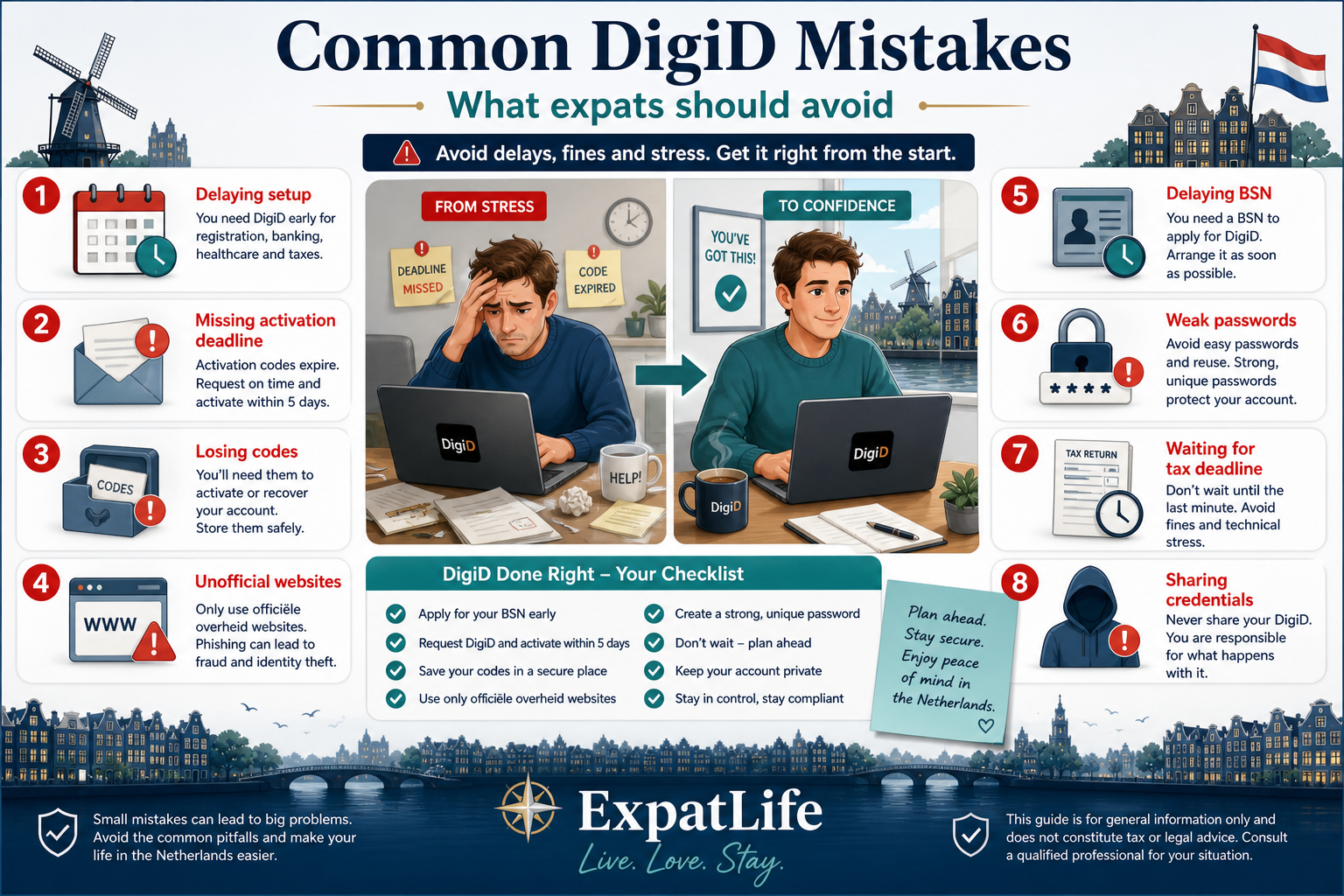
Waiting until an urgent letter arrives leaves no time for postal activation.
Activation letters expire — complete setup within the official window.
Store recovery information securely; resetting access takes time.
DigiD is not optional for many portals even if you prefer paper.
Phishing and paid “helpers” put your identity at risk.
Without registration and BSN context, DigiD applications stall.
Shared passwords and unlocked phones undermine DigiD protection.
Tax season and insurer letters are harder without active DigiD.
How to recover from common mistakes
DigiD connects to many public organizations. Names below are orientation only — each agency defines its own login requirements and supported services on official websites.
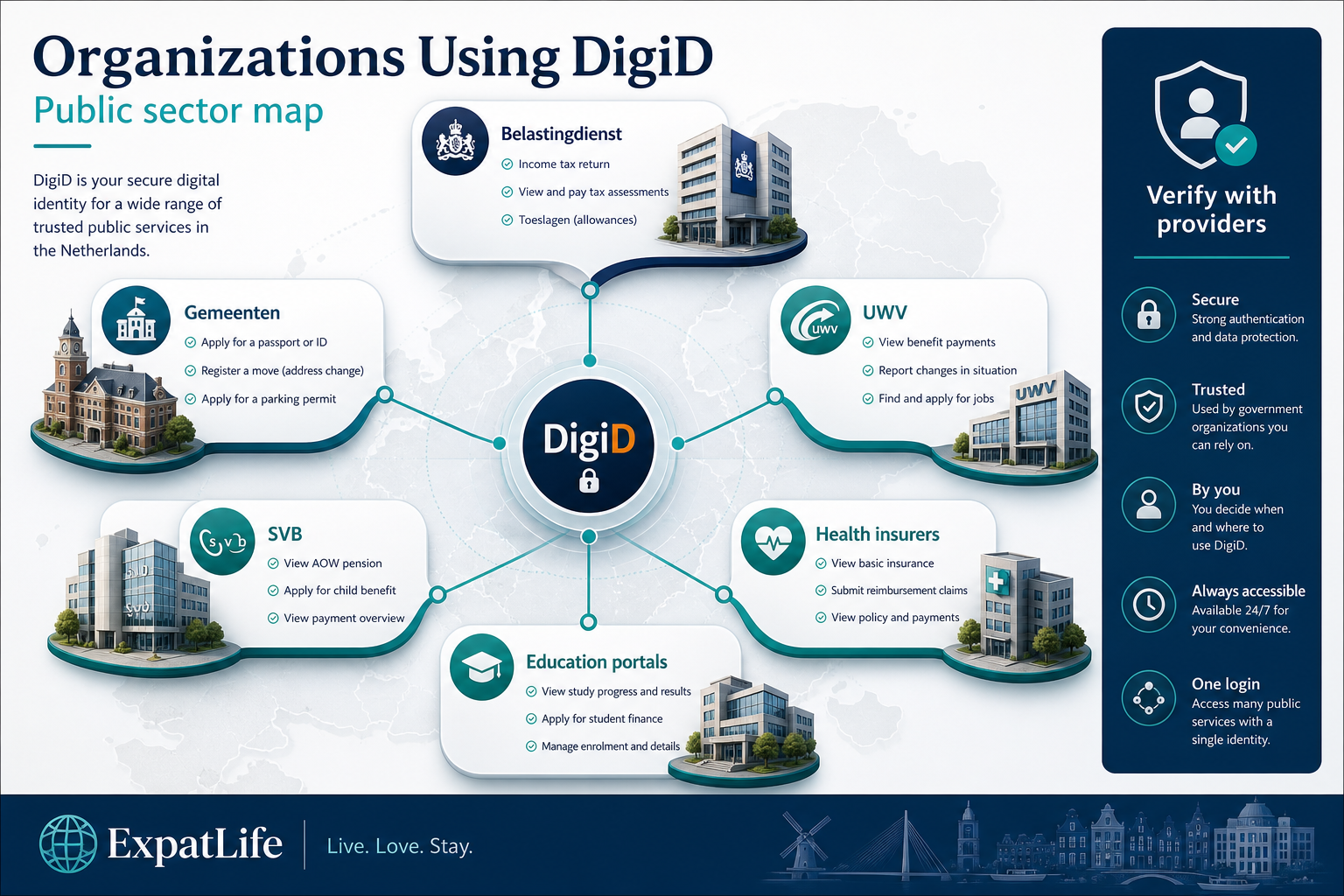
National tax authority — tax assessments, correspondence and related digital services.
Local government — registration follow-up, permits and local taxes.
Employee insurance agency — employment and benefits administration.
Social insurance bank — social security-related administration.
Insurers and some healthcare administration portals.
Student finance and some university portals for registered students.
Quick answers for orientation — verify eligibility and activation steps on DigiD.nl before applying.
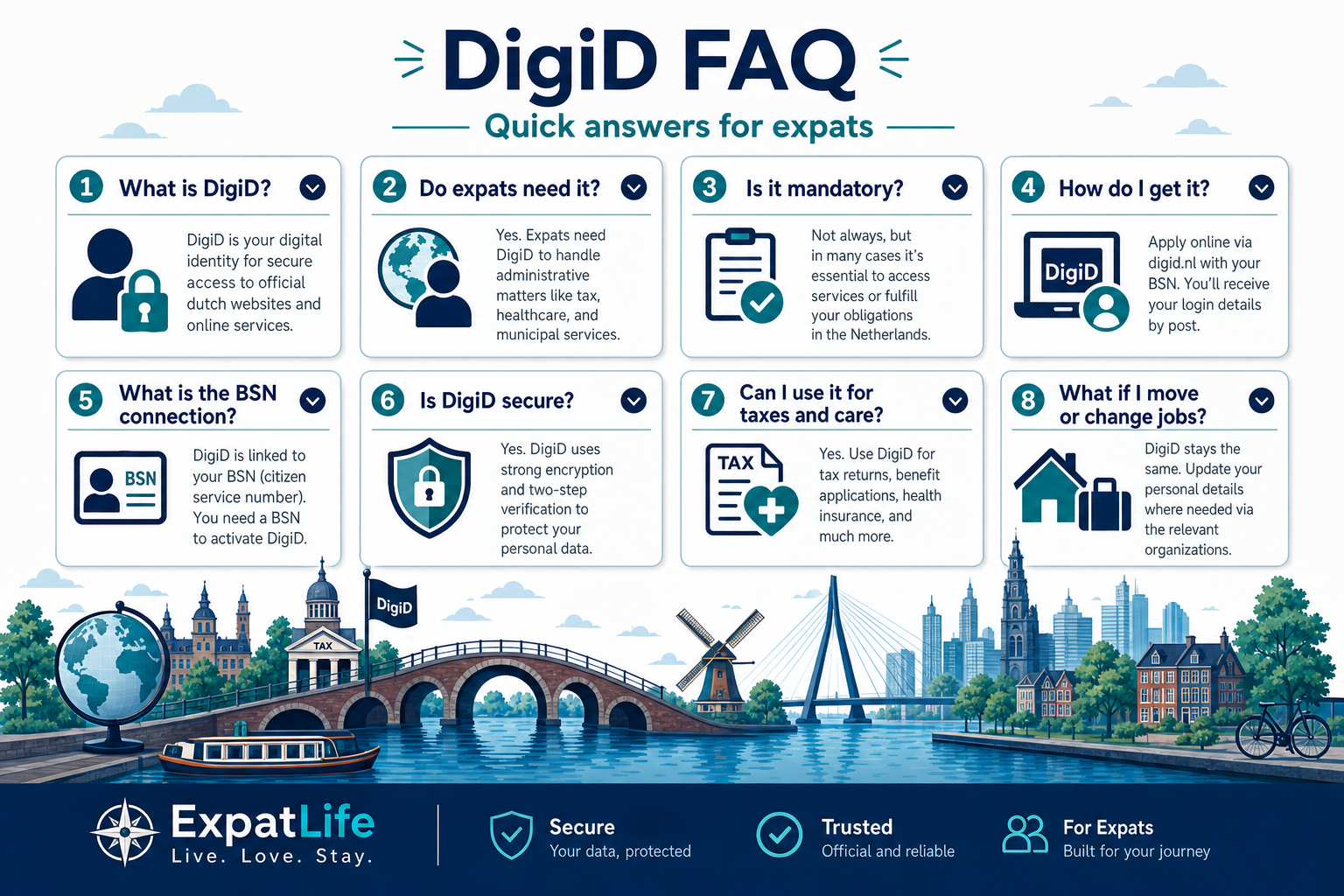
DigiD is the Netherlands' digital identity system. It lets residents securely log in to many online government and public-sector services, including municipalities, healthcare administration, tax authorities and pension systems.
Many expats benefit from DigiD once they are registered with a Dutch address and BSN. If you use Dutch online services for taxes, healthcare, municipalities or benefits, DigiD is usually essential.
DigiD itself is not a law you sign up for — but many official portals require it for online access. You may still complete some tasks in person or by post, though that is often slower.
Apply through the official DigiD website after you have the registration prerequisites (typically BSN and a registered address). Follow current activation instructions on DigiD.nl — activation usually involves a letter sent to your home.
Common uses include tax portals, municipality services, healthcare insurer sites, pension information, benefits administration and official government communication.
Yes — DigiD is tied to your personal registration data, which includes your BSN context. Address registration at the gemeente is usually a prerequisite step.
DigiD uses secure authentication, but you must protect passwords, devices and activation codes. Use official websites only and never share credentials with third parties.
Update your address with the municipality when you move within the Netherlands. Official records, post delivery and some DigiD-related processes depend on accurate address data.
Trust
Eligibility requirements, activation methods and supported services may change over time. Always verify information through official sources.
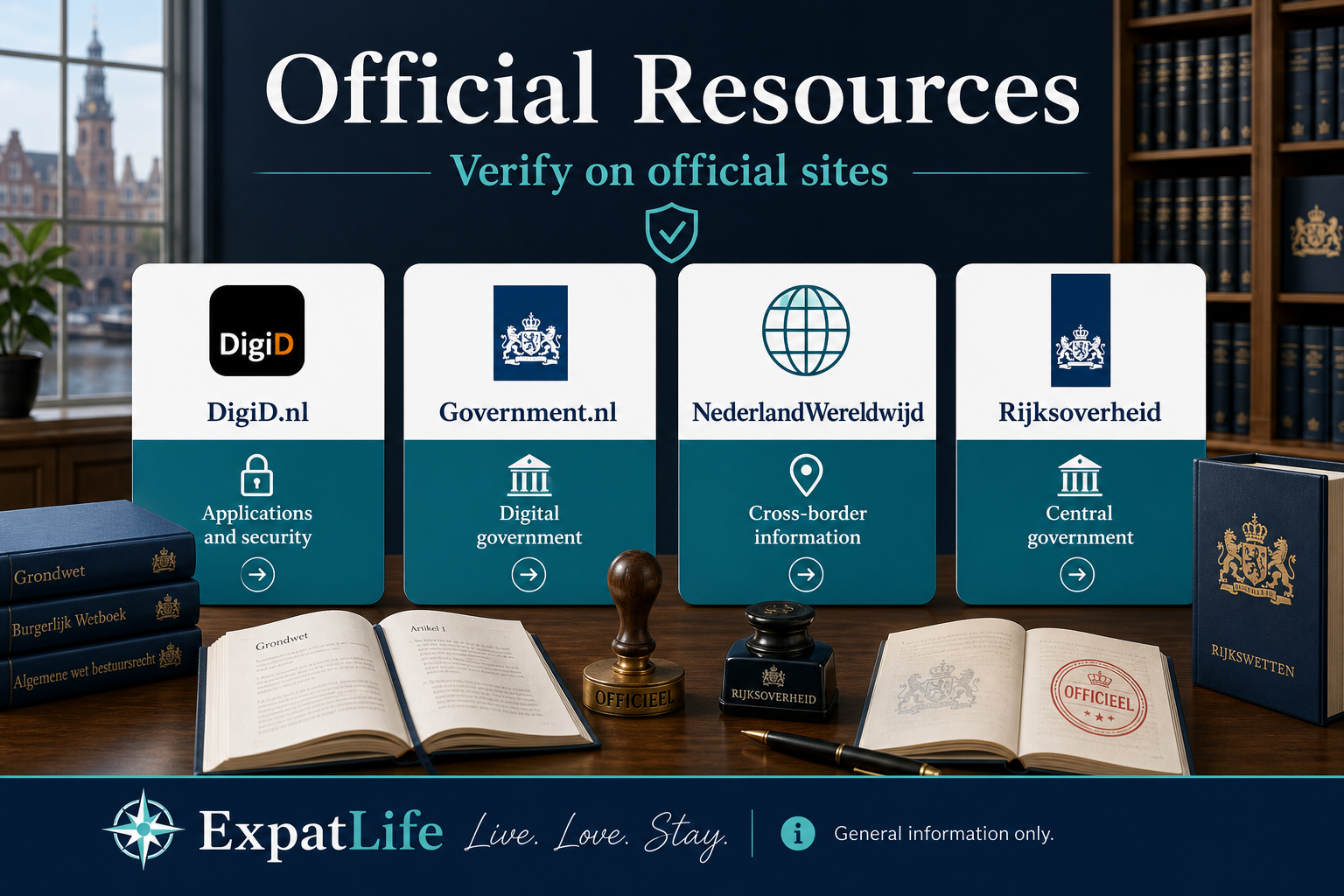
How to use these resources
Examples
| Profile | Situation | What to do |
|---|---|---|
| Applying for first DigiD | Unsure which site is official | Use DigiD.nl only — type the URL manually; ignore paid setup services. |
| Tax letter references online portal | Need Belastingdienst context | Government.nl and Belastingdienst official pages — then log in via portal link from there. |
| Moved cities within NL | Old gemeente portal bookmark fails | Find new city site via Government.nl gemeente search — update bookmarks. |
| Dutch national abroad | Cross-border registration question | NederlandWereldwijd for orientation — still verify DigiD rules on DigiD.nl. |
Eligibility requirements, activation methods and supported services may change over time. Always verify information through official sources before applying or sharing personal data.
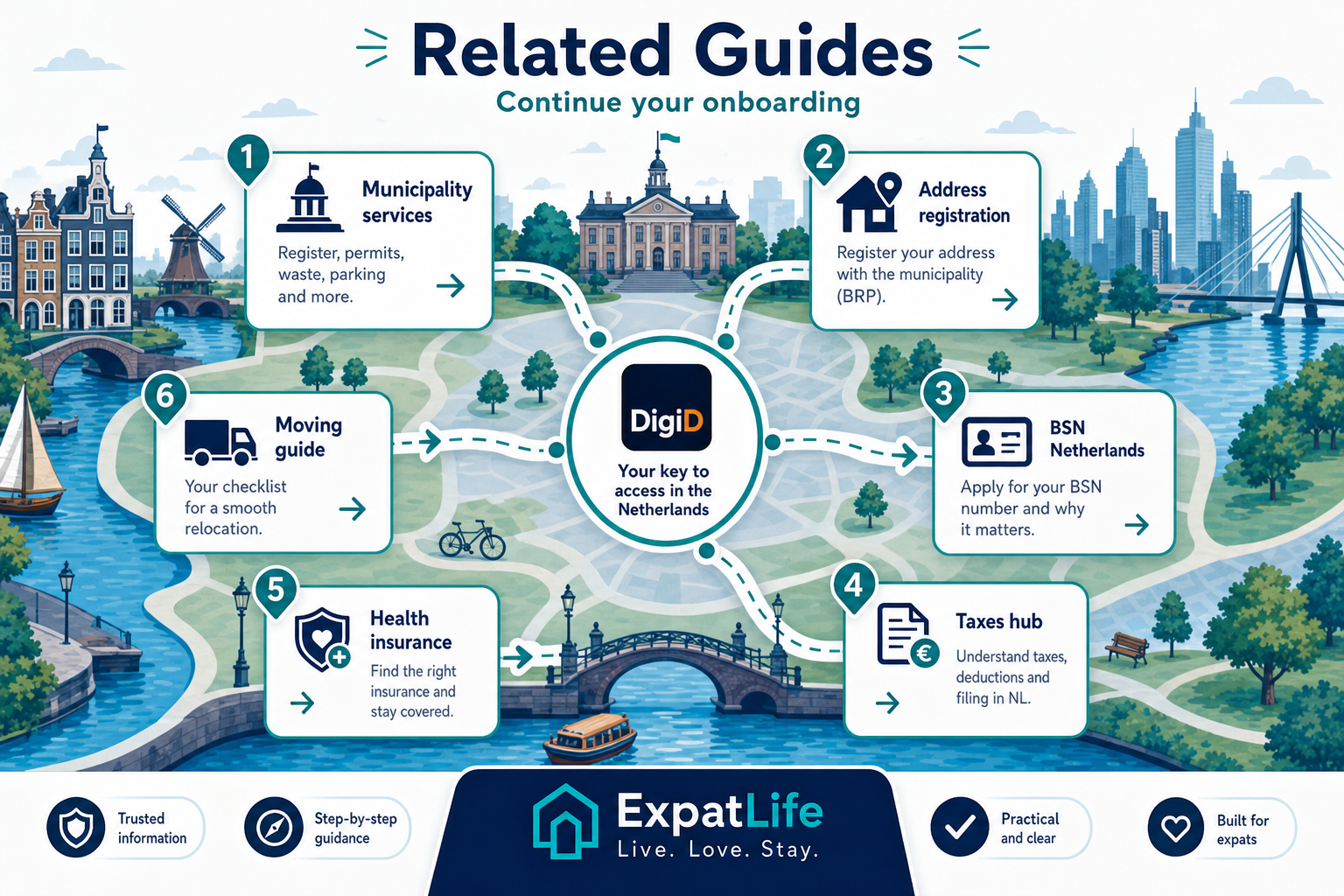
Continue from DigiD into BSN, municipality services, taxes, healthcare and relocation guides.
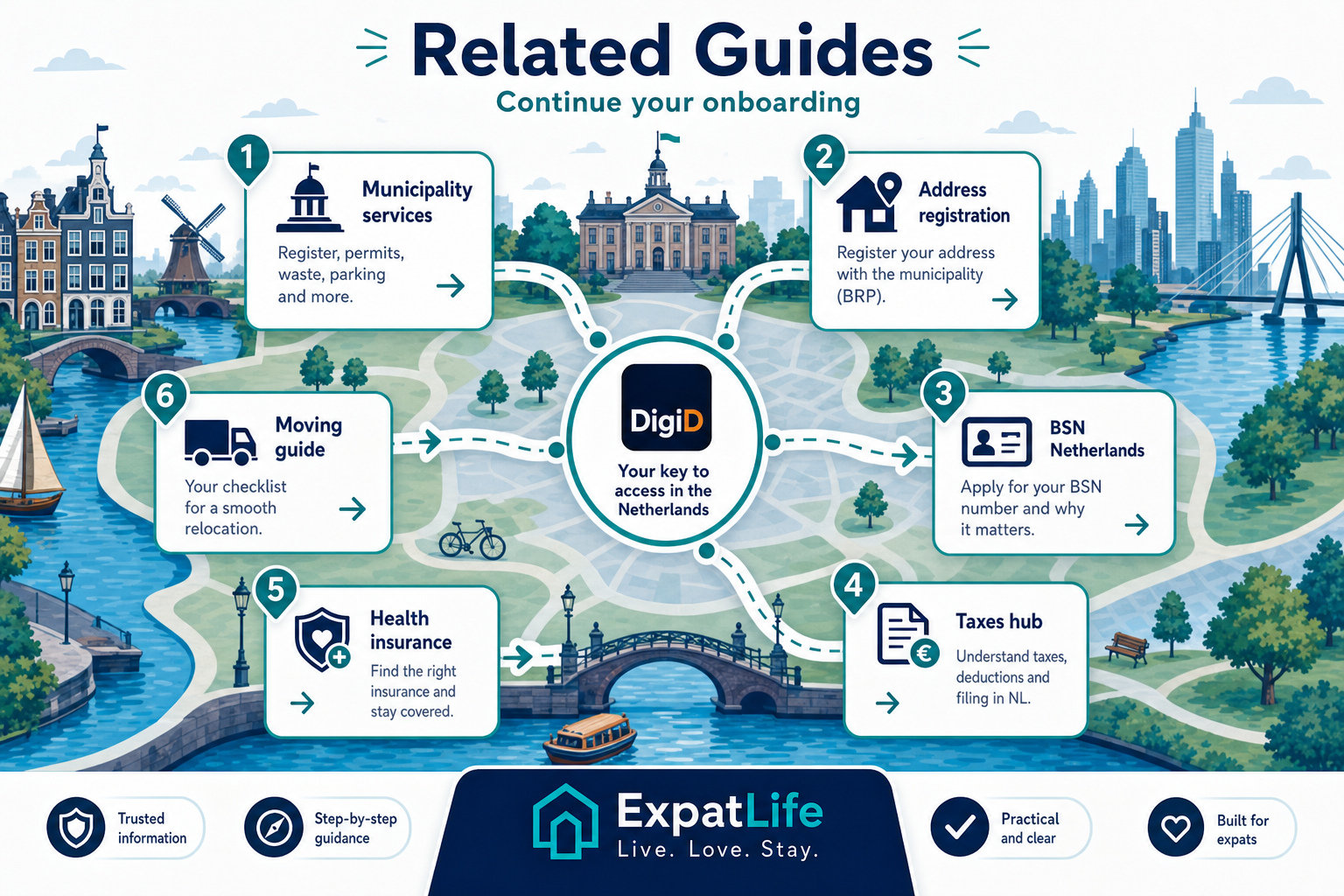
Route yourself to the right next guide
Explore next
Move from DigiD awareness into BSN, address registration, municipality services, taxes and healthcare setup.